SmartFlow Checkout Guides
Unlock the full potential of your Shopify Checkout. Master 1-click post-purchase upsells, discount logic, and advanced payment routing.
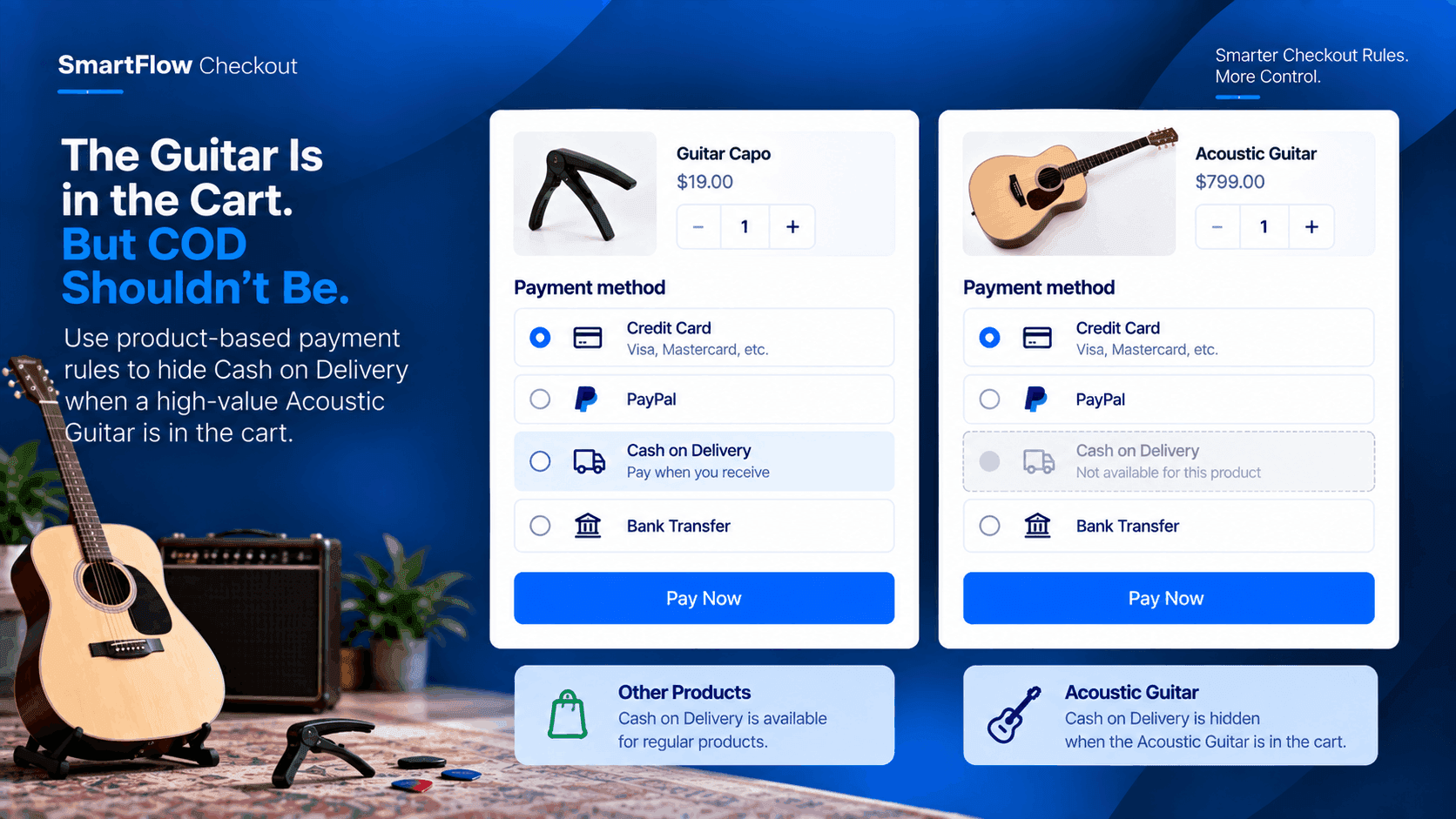
The Guitar Is in the Cart. But COD Shouldn't Be.
A musical instrument store accepts multiple payment methods, but Cash on Delivery creates a different risk for a high-value Acoustic Guitar. SmartFlow Checkout can make the payment options depend on what is actually in the cart.
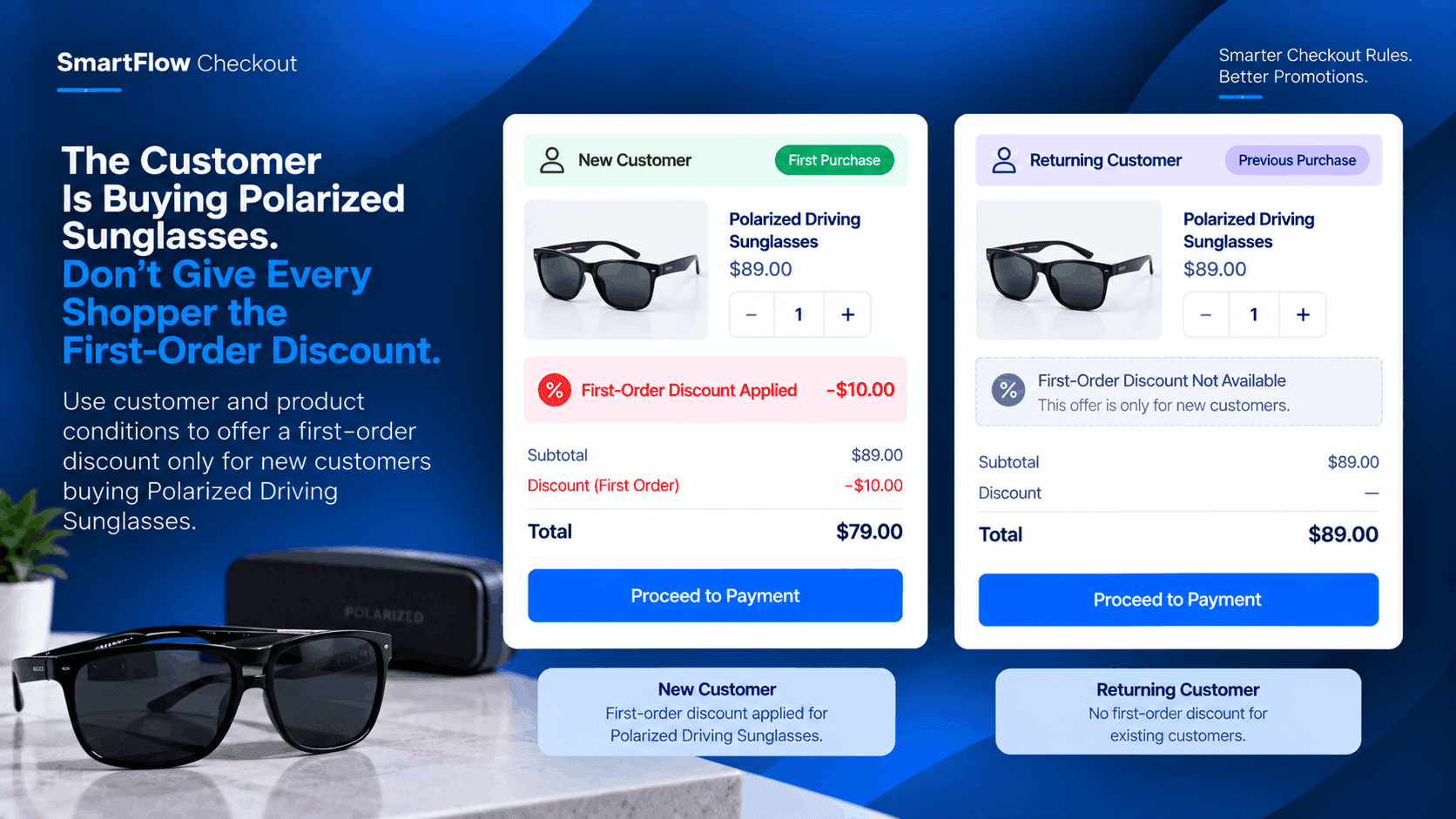
The Customer Is Buying Polarized Sunglasses. Don't Give Every Shopper the First-Order Discount.
A first-order offer can bring new customers into a store, but it shouldn't automatically apply to everyone. SmartFlow Checkout can combine customer and product conditions to keep the promotion targeted.
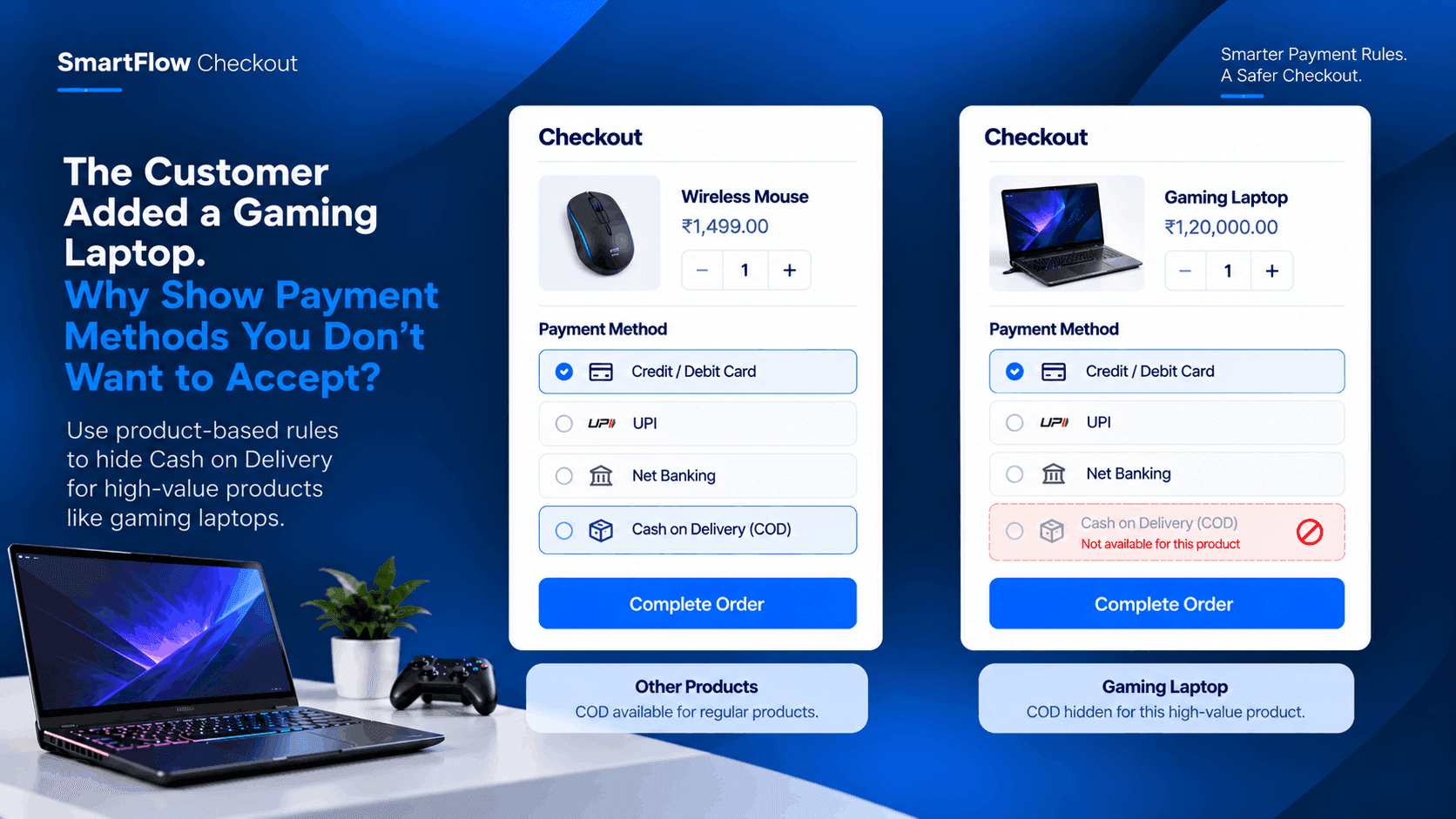
The Customer Added a Gaming Laptop. Why Show Payment Methods You Don't Want to Accept?
An electronics store may accept Cash on Delivery for everyday products but not for expensive gaming laptops. SmartFlow Checkout can apply that rule automatically at checkout.
.png&w=3840&q=75)
The Customer Is Buying Contact Lenses. Make Sure They Choose the Right Quantity.
A customer buying daily contact lenses may need a specific quantity for their intended supply period. SmartFlow Checkout can check the cart before payment and stop an order when the required quantity is not met.
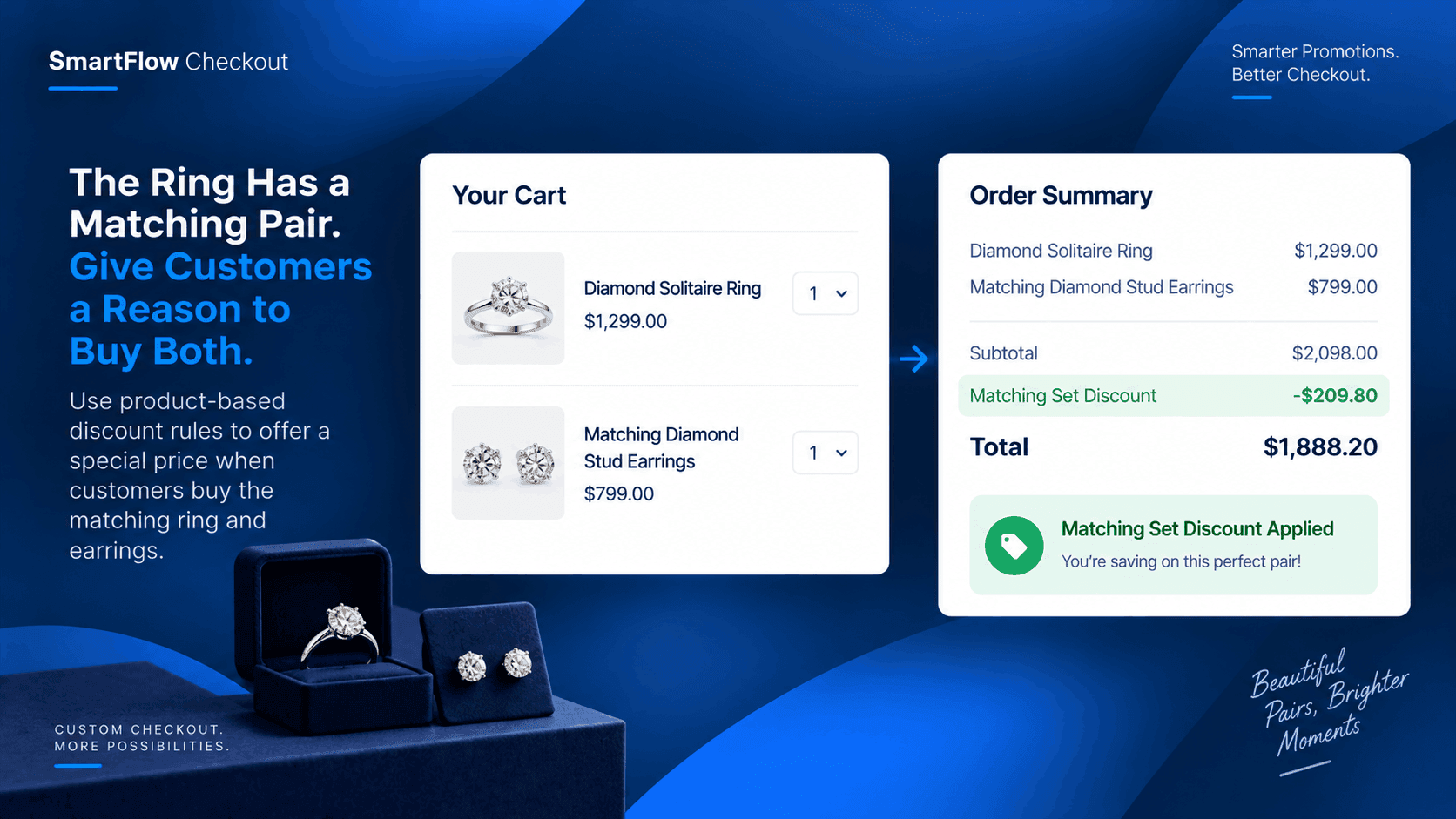
The Ring Has a Matching Pair. Give Customers a Reason to Buy Both.
A jewelry store does not need to discount every ring or every pair of earrings. With the right checkout rule, the store can reward customers who buy a specific matching set.
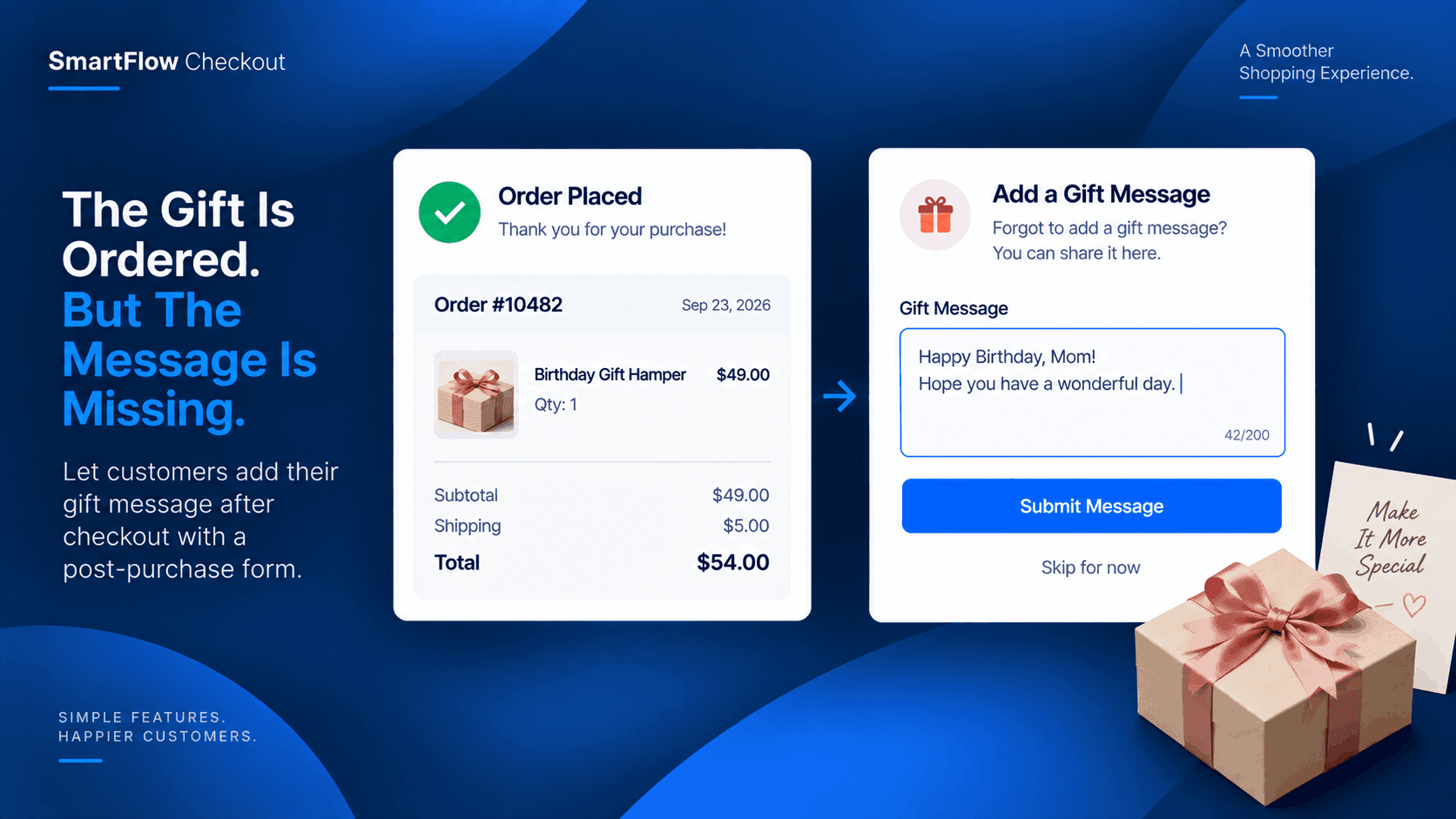
The Gift Is Ordered. But The Message Is Missing.
A customer orders a birthday gift and only realizes after paying that they forgot the gift message. Instead of starting another order or emailing support, a post-purchase form can give them one simple way to provide it.
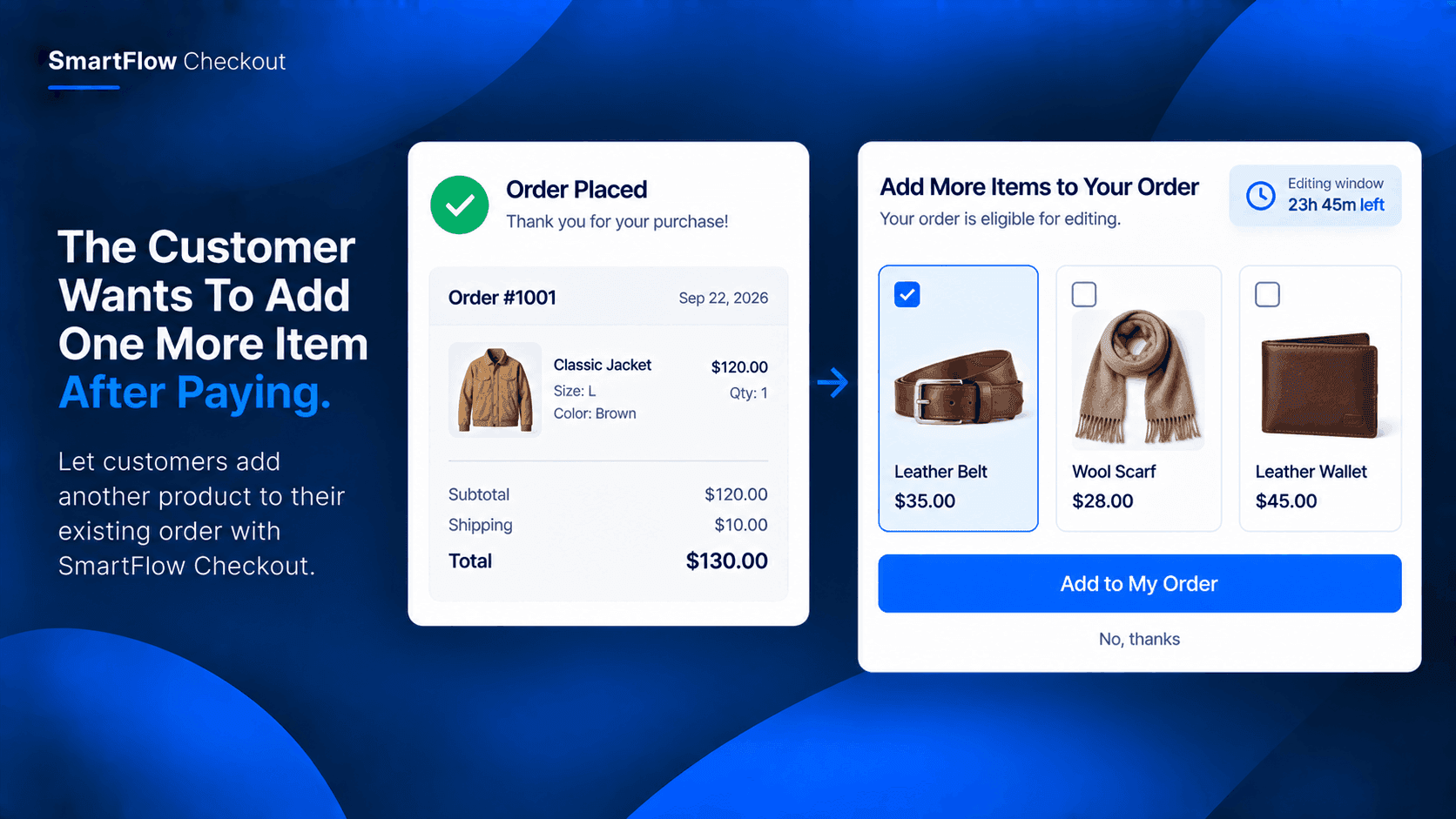
The Customer Wants To Add One More Item After Paying
A customer completes a purchase and then realizes they forgot one more item. Instead of creating a second order, SmartFlow Checkout can give eligible customers a controlled way to add another product to the existing order.
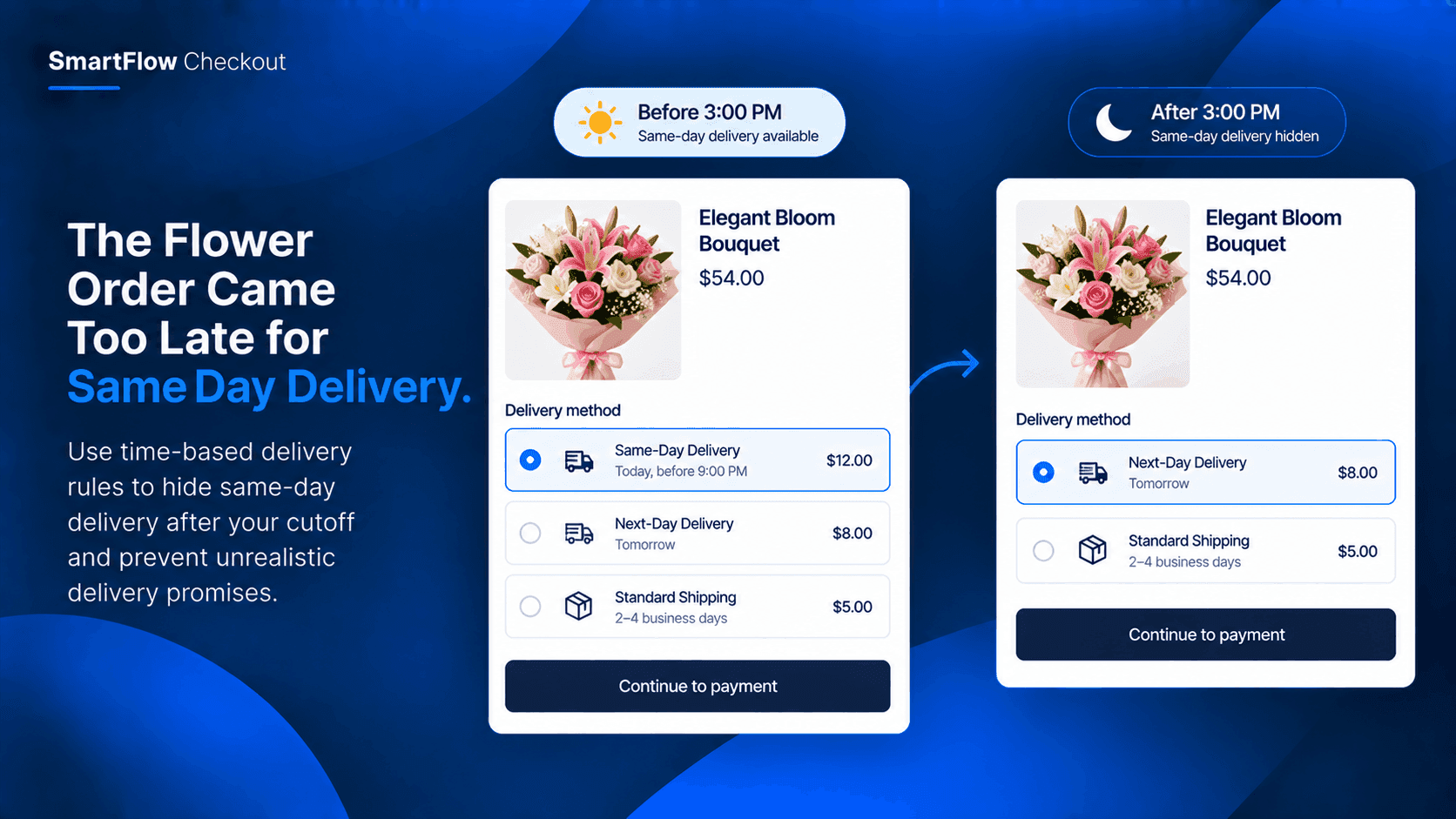
The Flower Order Came Too Late for Same-Day Delivery
A customer orders flowers expecting them today, but the order arrives after the store's same-day delivery cutoff. SmartFlow Checkout can adjust which delivery options customers see based on the time of the order.
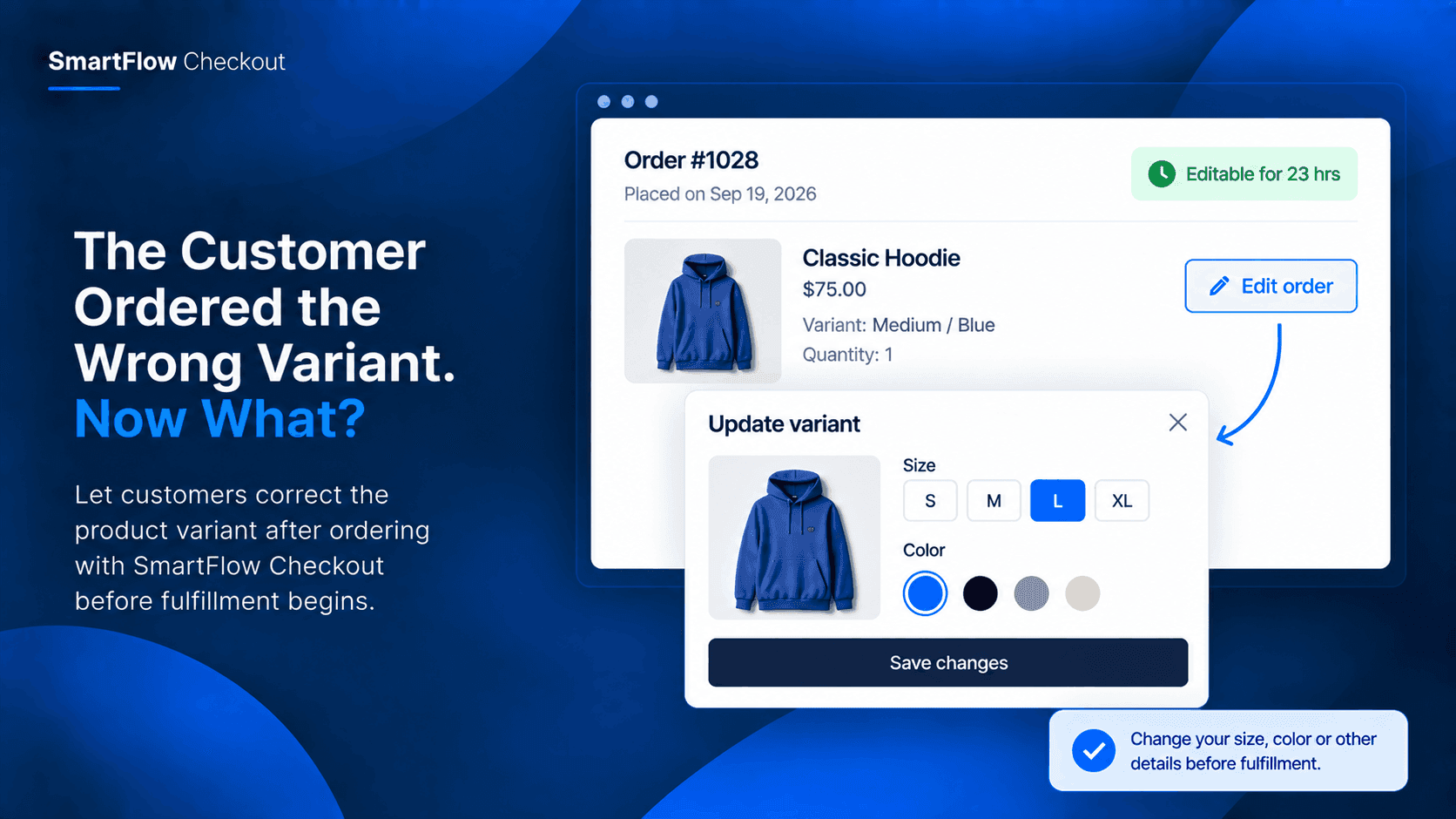
The Customer Ordered the Wrong Variant. Now What?
A customer notices they selected the wrong size, color, or model after placing an order. Instead of cancelling and placing another order, give them a controlled way to correct the variant before fulfillment.
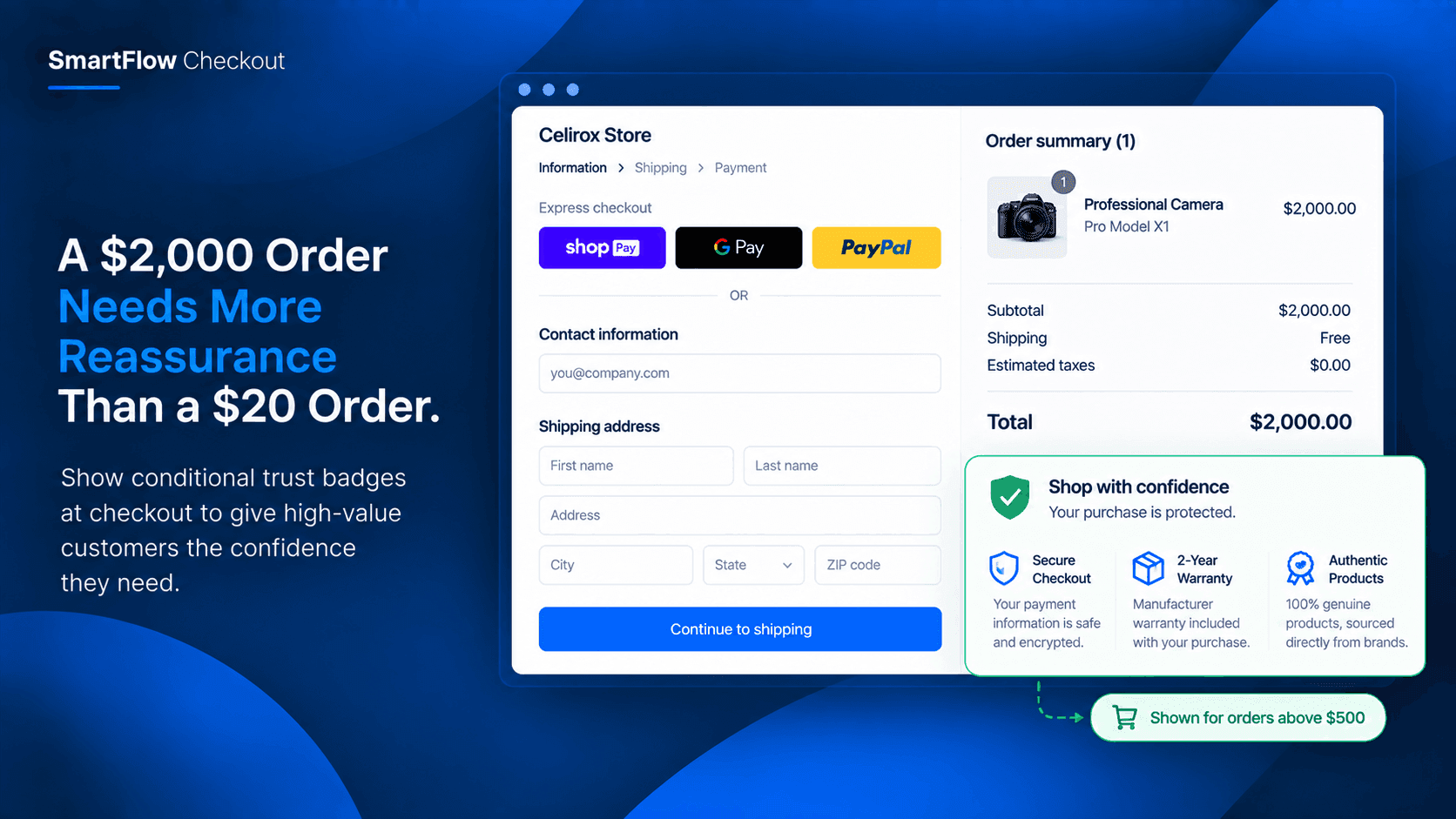
A $2,000 Order Needs More Reassurance Than a $20 Order.
A customer is ready to buy a $2,000 product, but the final step feels different when the purchase is expensive. Learn how conditional trust badges can provide relevant reassurance at checkout when customers need it most.
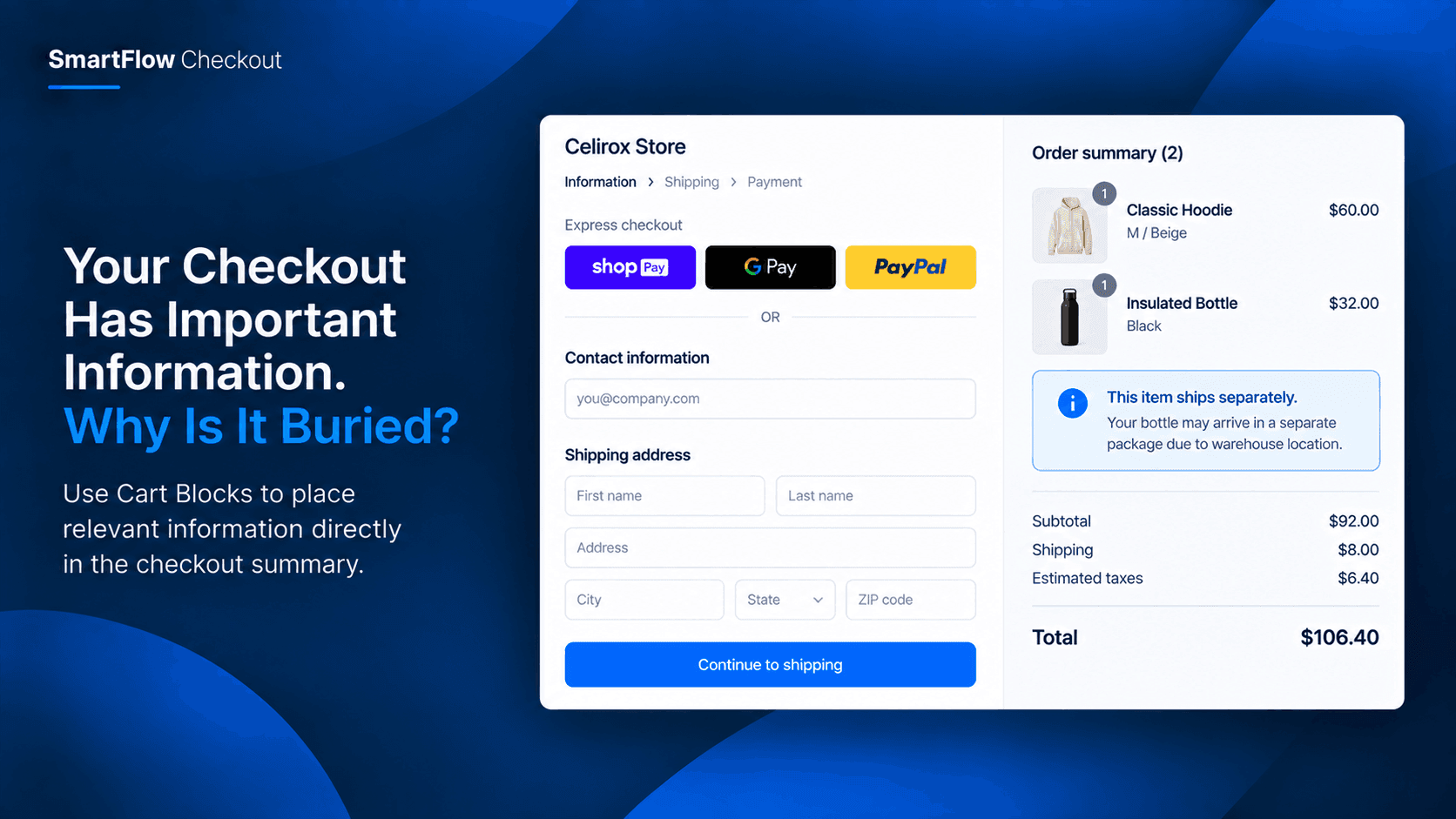
Your Checkout Has Important Information. Why Is It Buried?
A customer reaches checkout with everything they need to buy. But one important message about the order is buried somewhere else. SmartFlow Checkout Cart Blocks can put relevant information directly where customers are already looking.
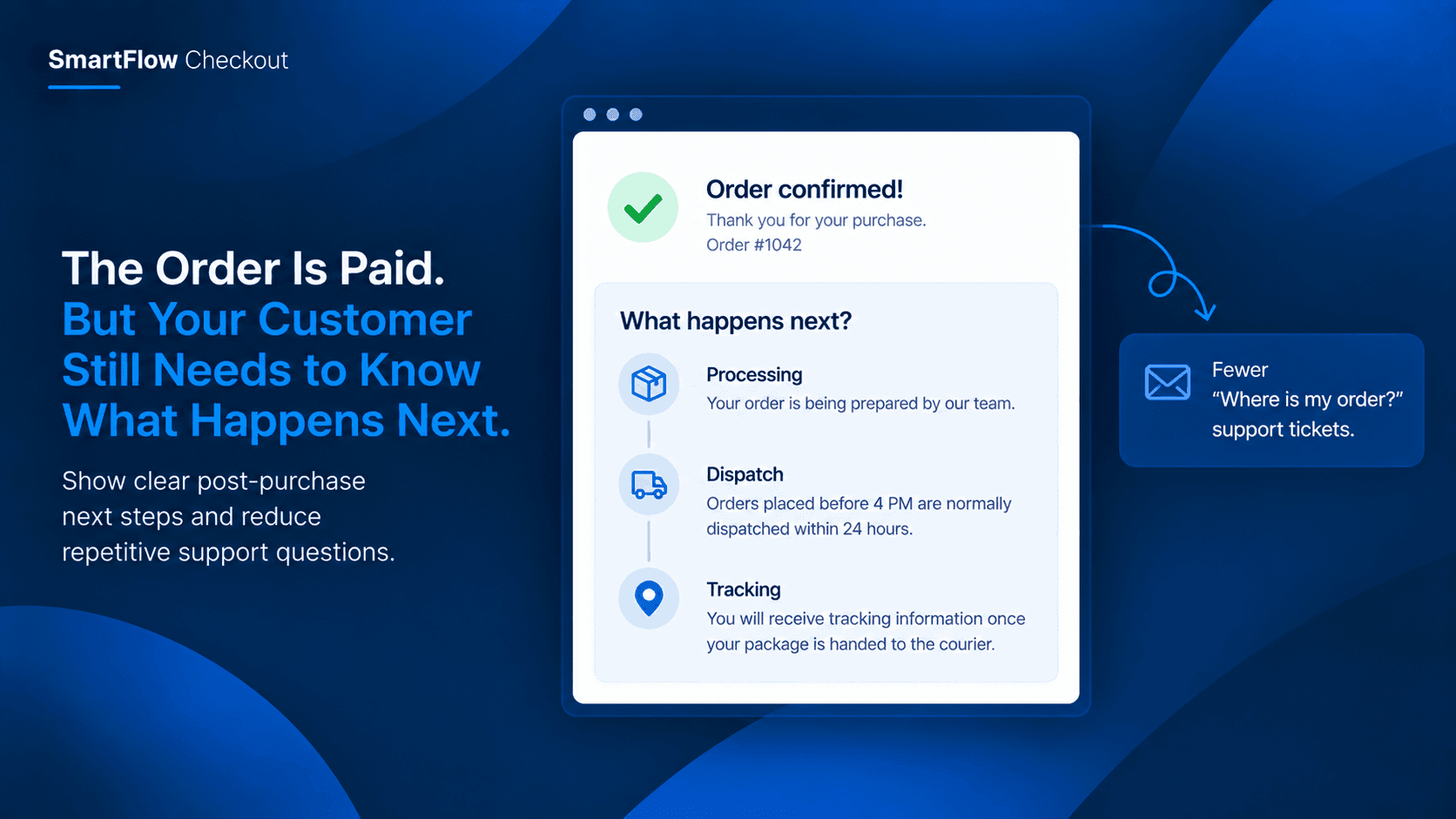
The Order Is Paid. But Your Customer Still Needs to Know What Happens Next.
The payment went through. The order is confirmed. Then the customer asks, “What happens now?” A clear post-purchase message can answer that question before it becomes another support ticket.
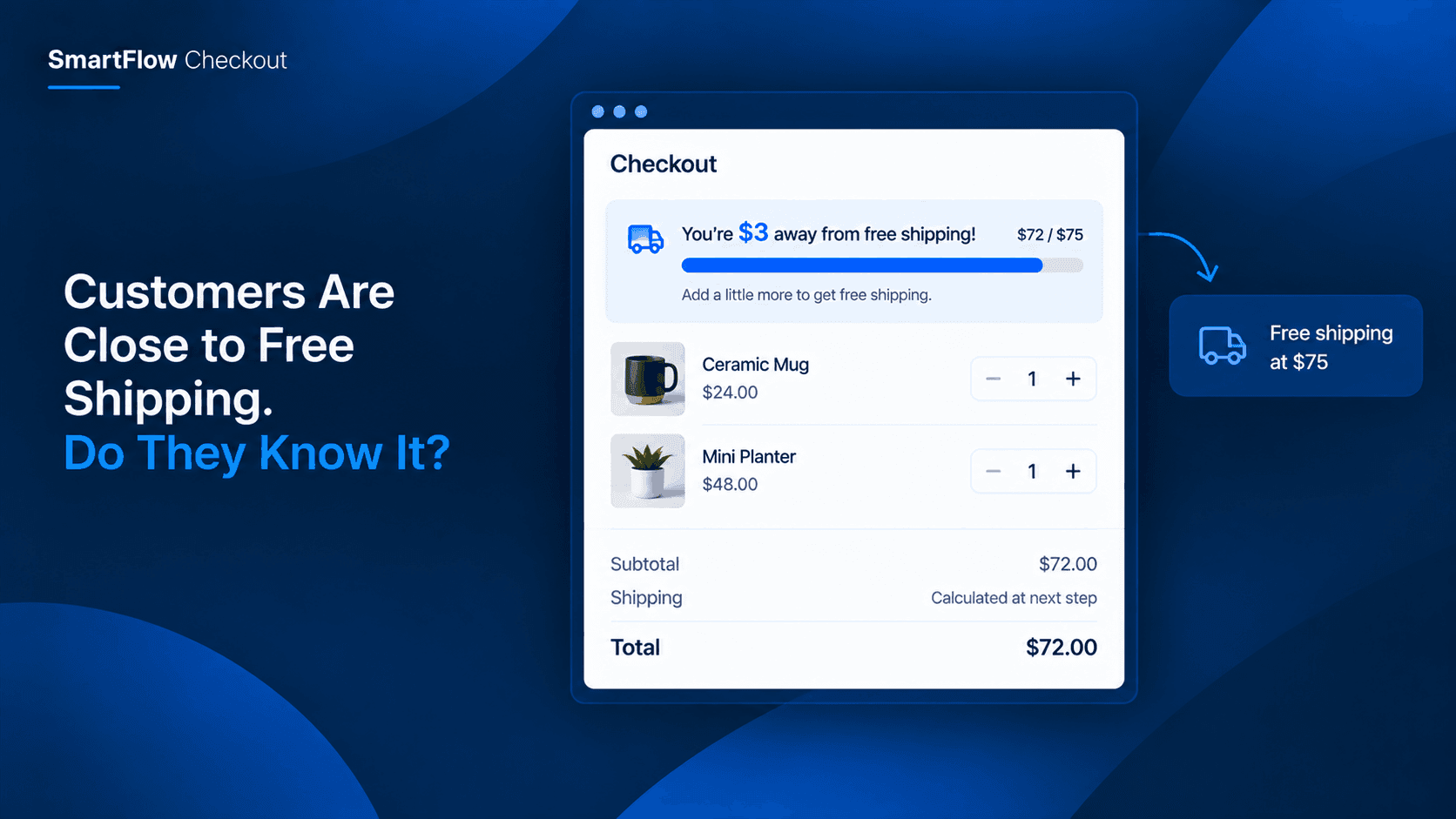
Customers Are Close to Free Shipping. Do They Know It?
A customer may be only $10 away from free shipping and never realize it. A checkout progress bar can turn that hidden opportunity into a clear reason to add one more product.
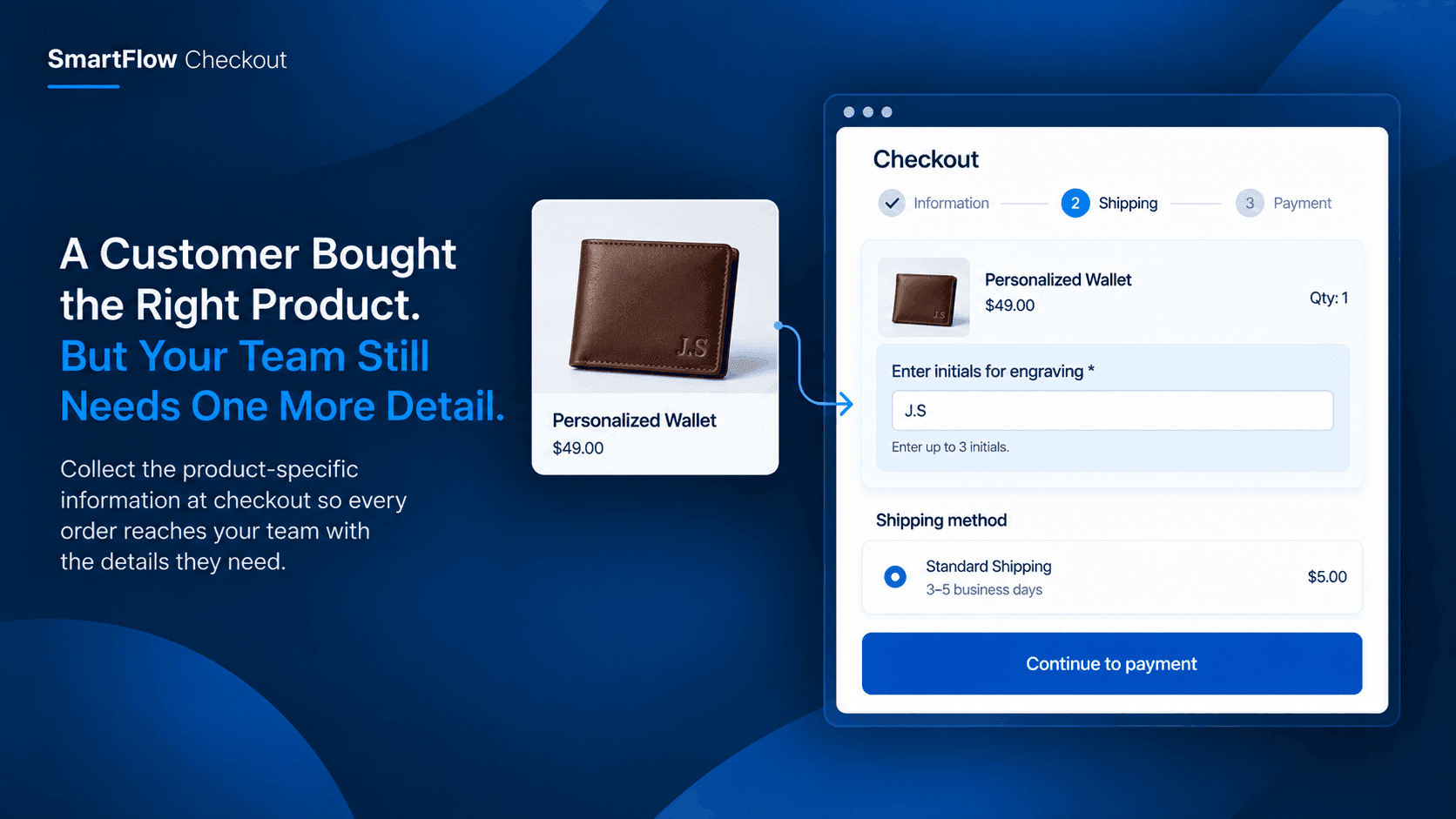
A Customer Bought the Right Product. But Your Team Still Needs One More Detail
A paid order is not always a fulfillment-ready order. Learn how Shopify merchants can collect the exact product details needed before customized orders reach the fulfillment team.
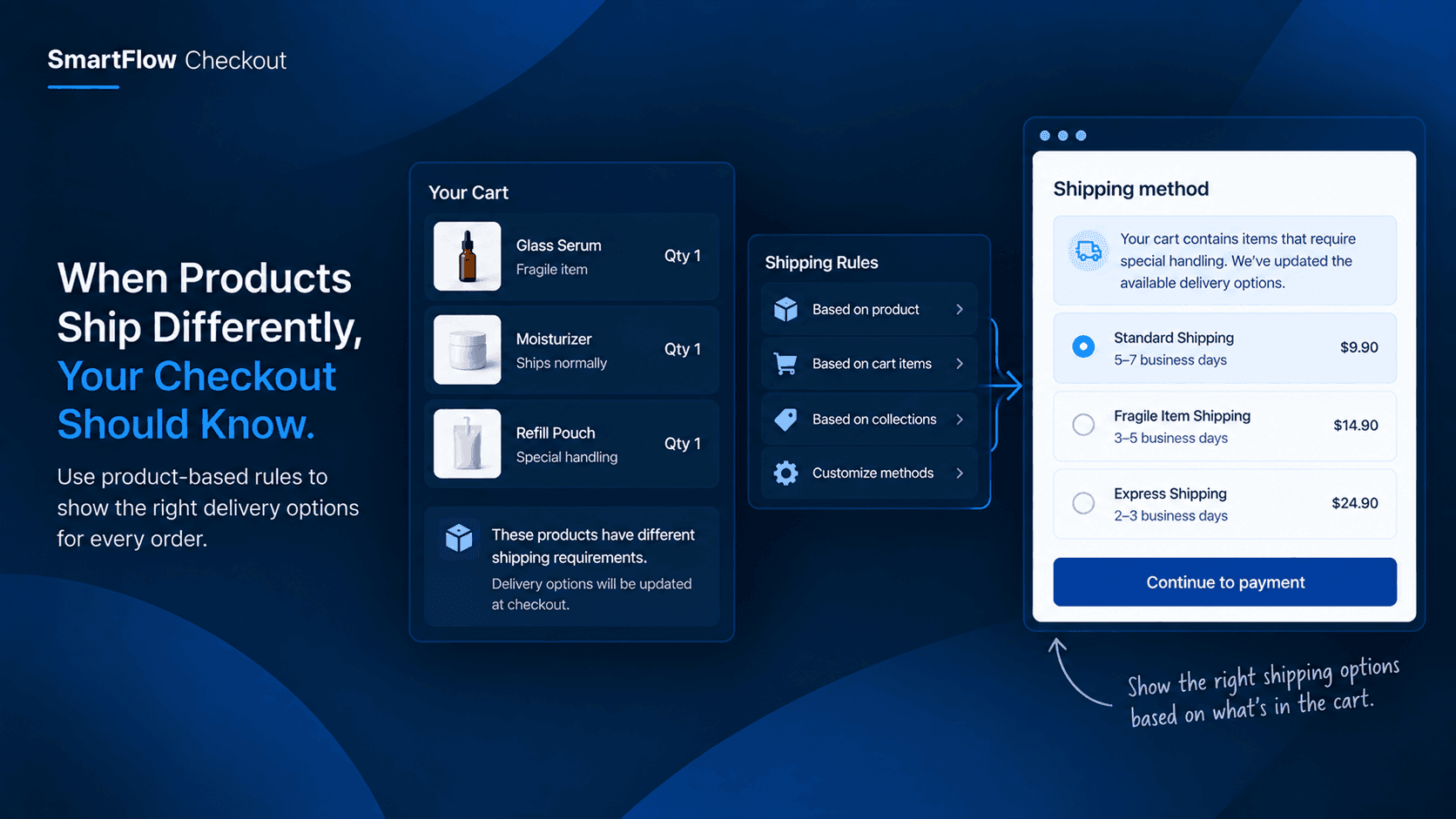
When Products Ship Differently, Your Checkout Should Know
Customers see one cart, but your fulfillment team may see several different shipping requirements. When certain products change how an order should be delivered, your Shopify checkout needs to reflect that before the order reaches your team.
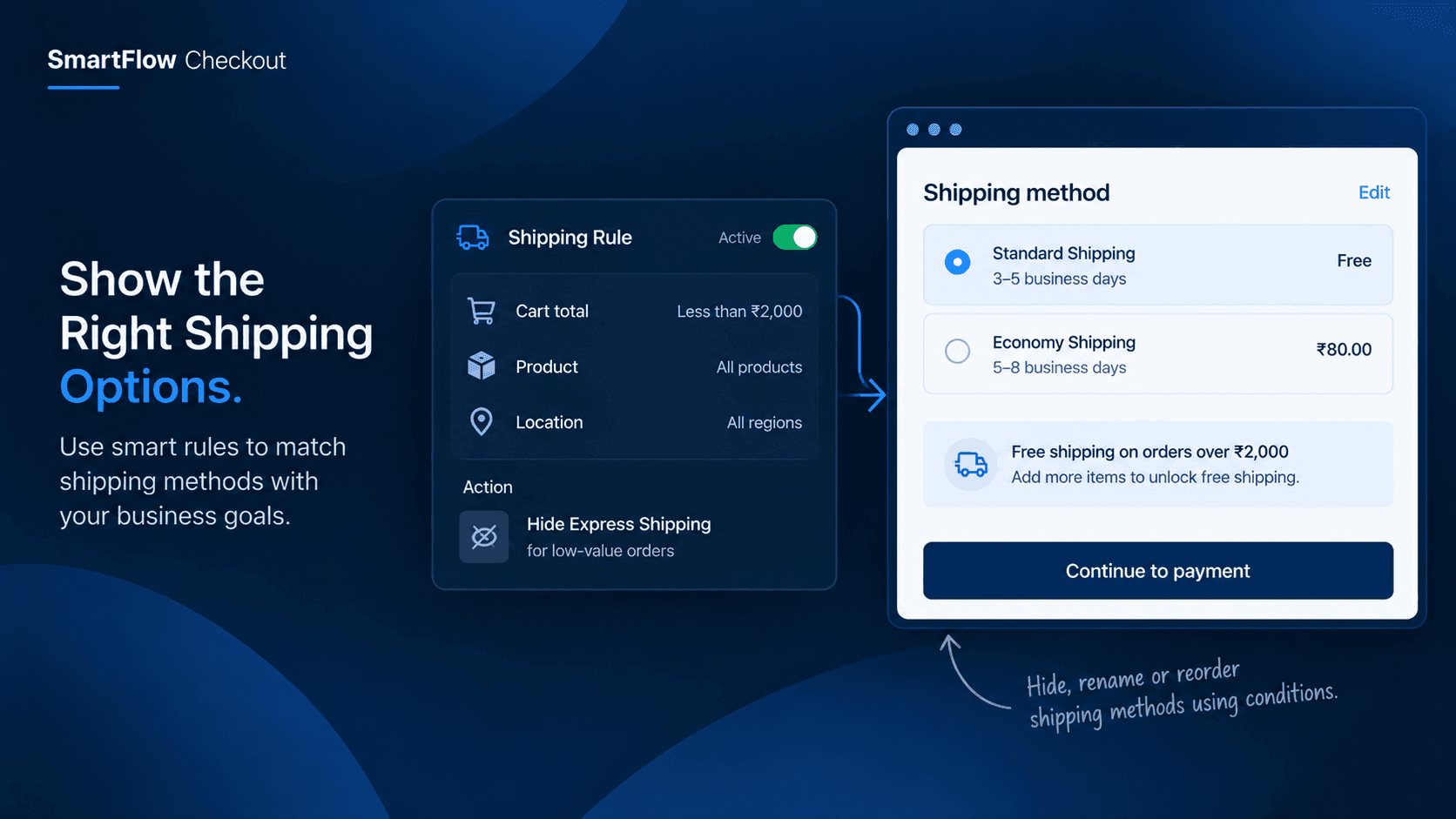
The Shipping Option Customers Choose Can Change Your Profit
An order can look profitable until shipping costs are added. See how merchants can control which shipping options customers see based on the order, products, location, and other conditions.
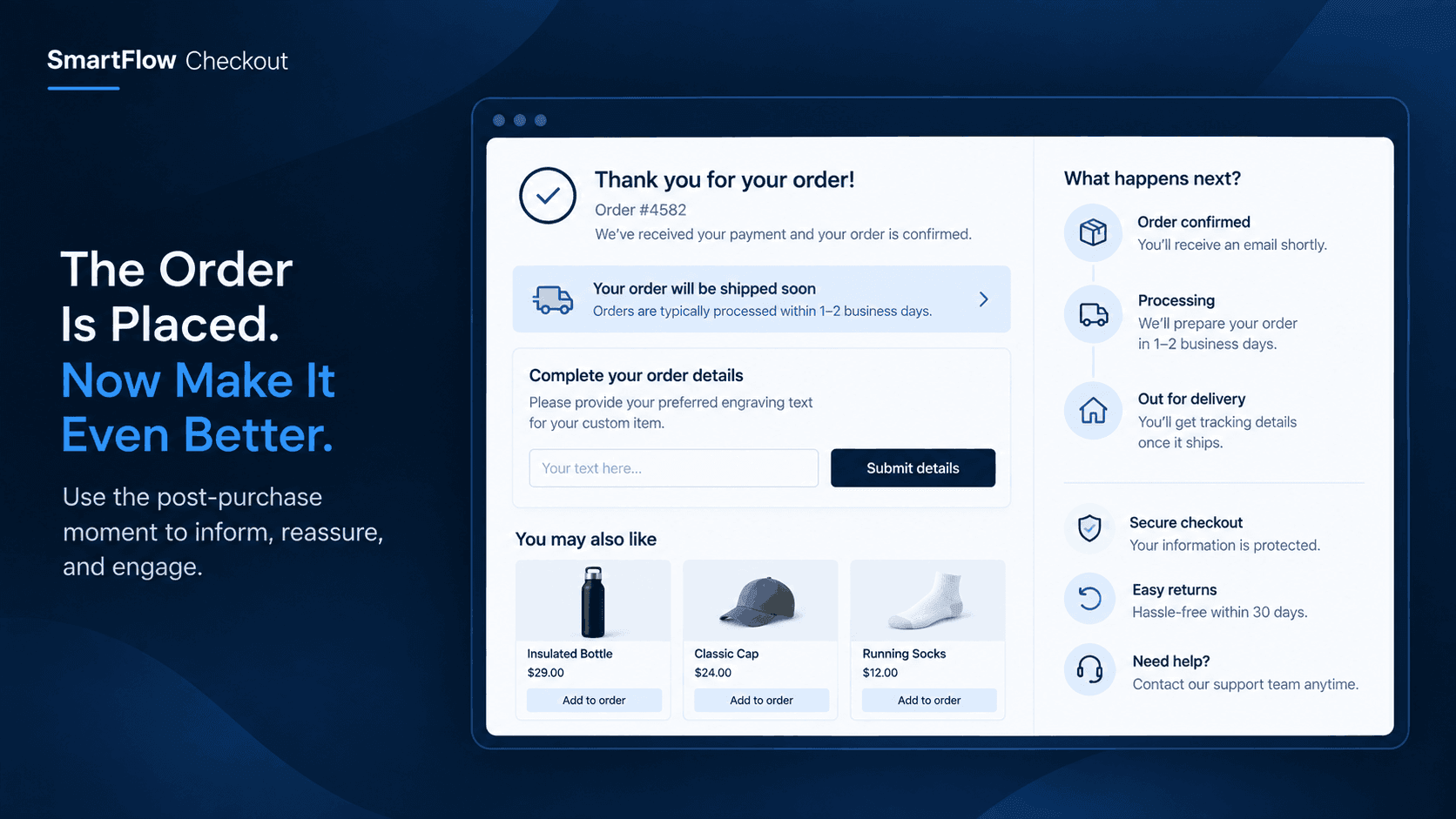
The Customer Paid. Now What? Turn the Post-Purchase Moment Into a Better Experience
The order is paid, but the customer journey is not over. Discover how Shopify merchants can use the post-purchase moment to reassure customers, provide useful information, and create a better experience after checkout.
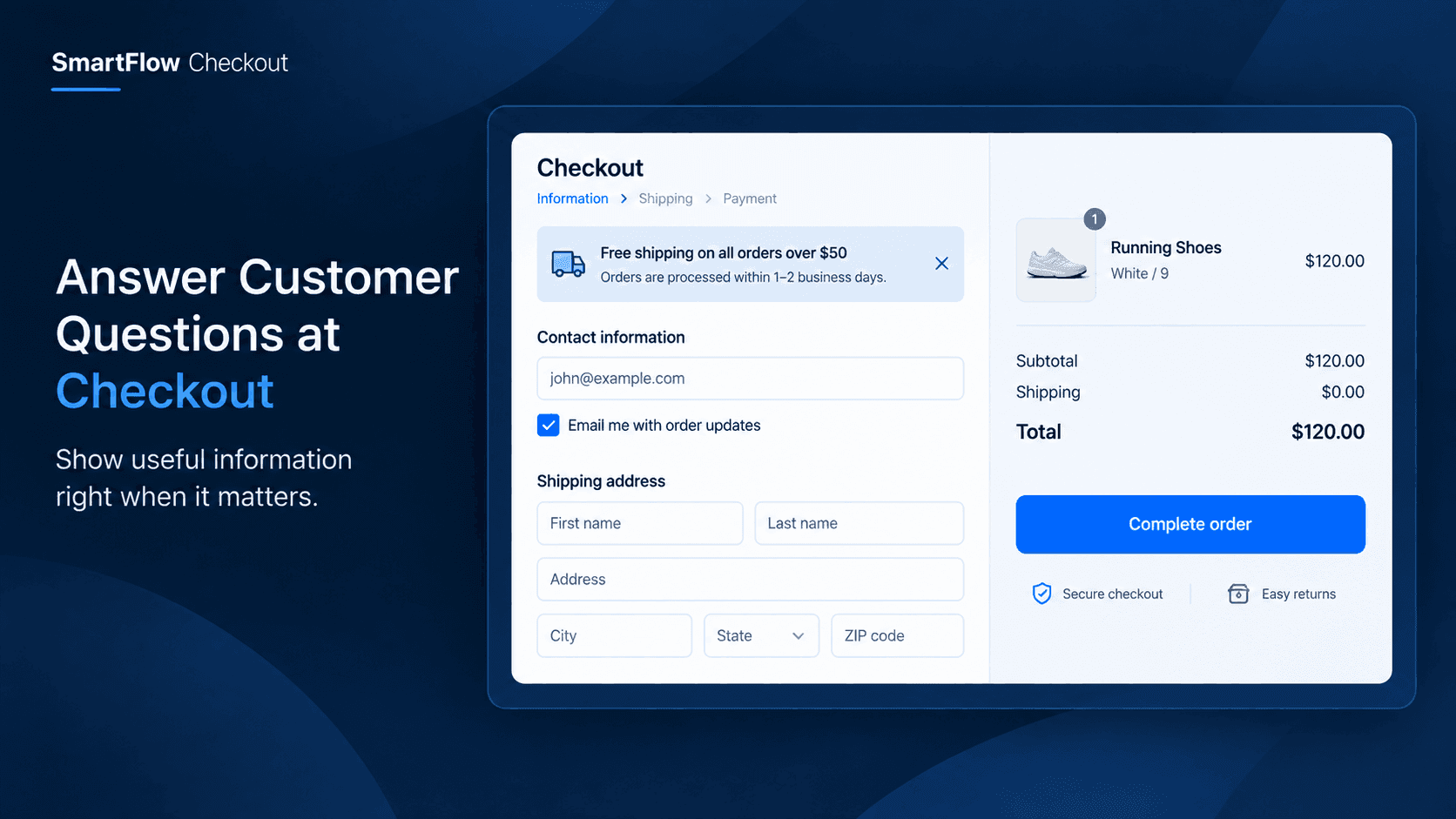
The Customer Has Questions at Checkout: Answer Them Without Losing the Sale
A customer reaches checkout but still has one unanswered question. Learn how SmartFlow Checkout can place useful information directly in checkout so customers have more confidence completing their purchase.
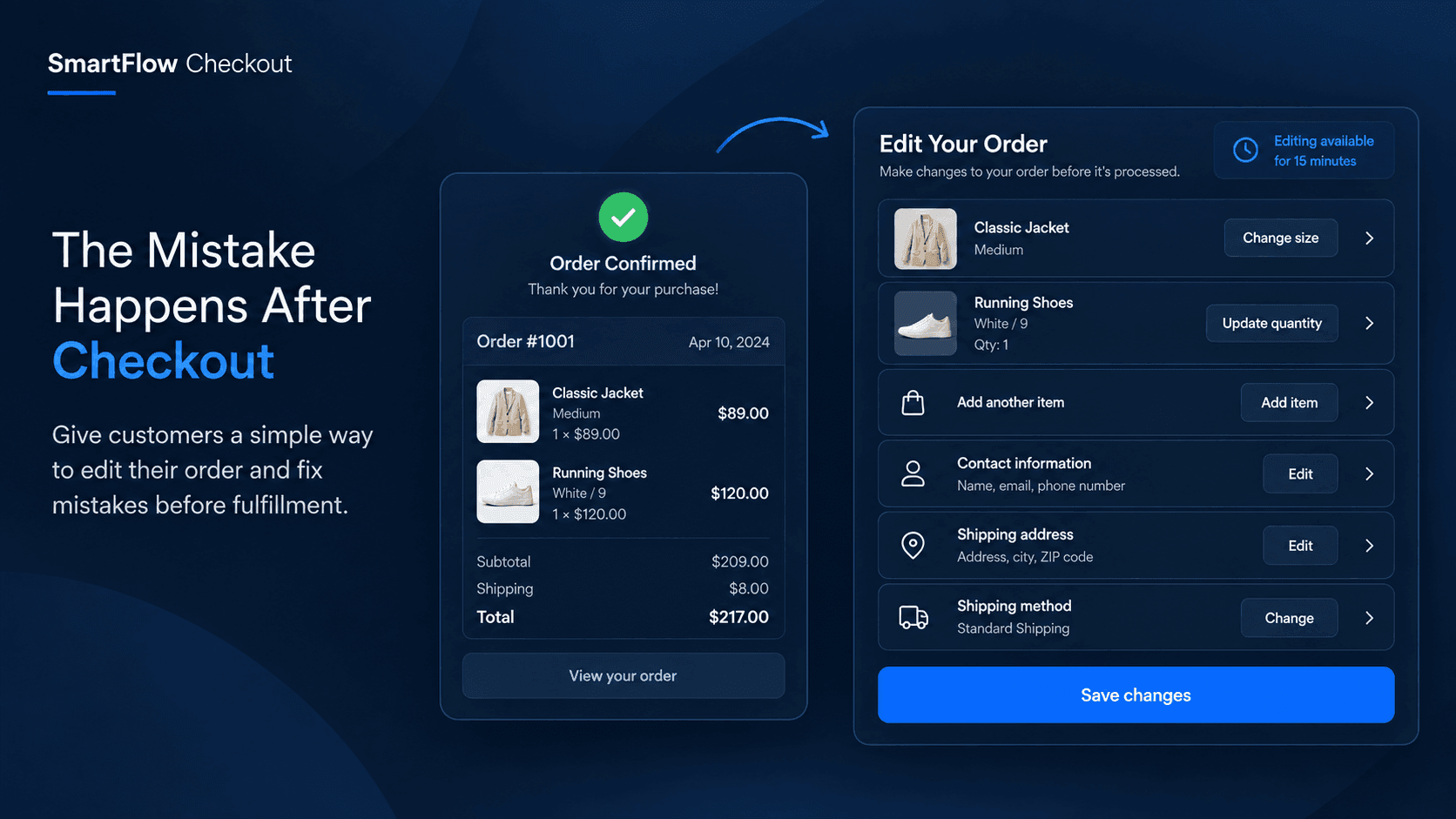
When Customers Make a Mistake After Ordering: Let Them Fix It Before Fulfillment
A customer places an order and immediately notices something is wrong. Instead of creating support tickets, cancellations, and replacement orders, give customers a controlled window to fix eligible order details before fulfillment.
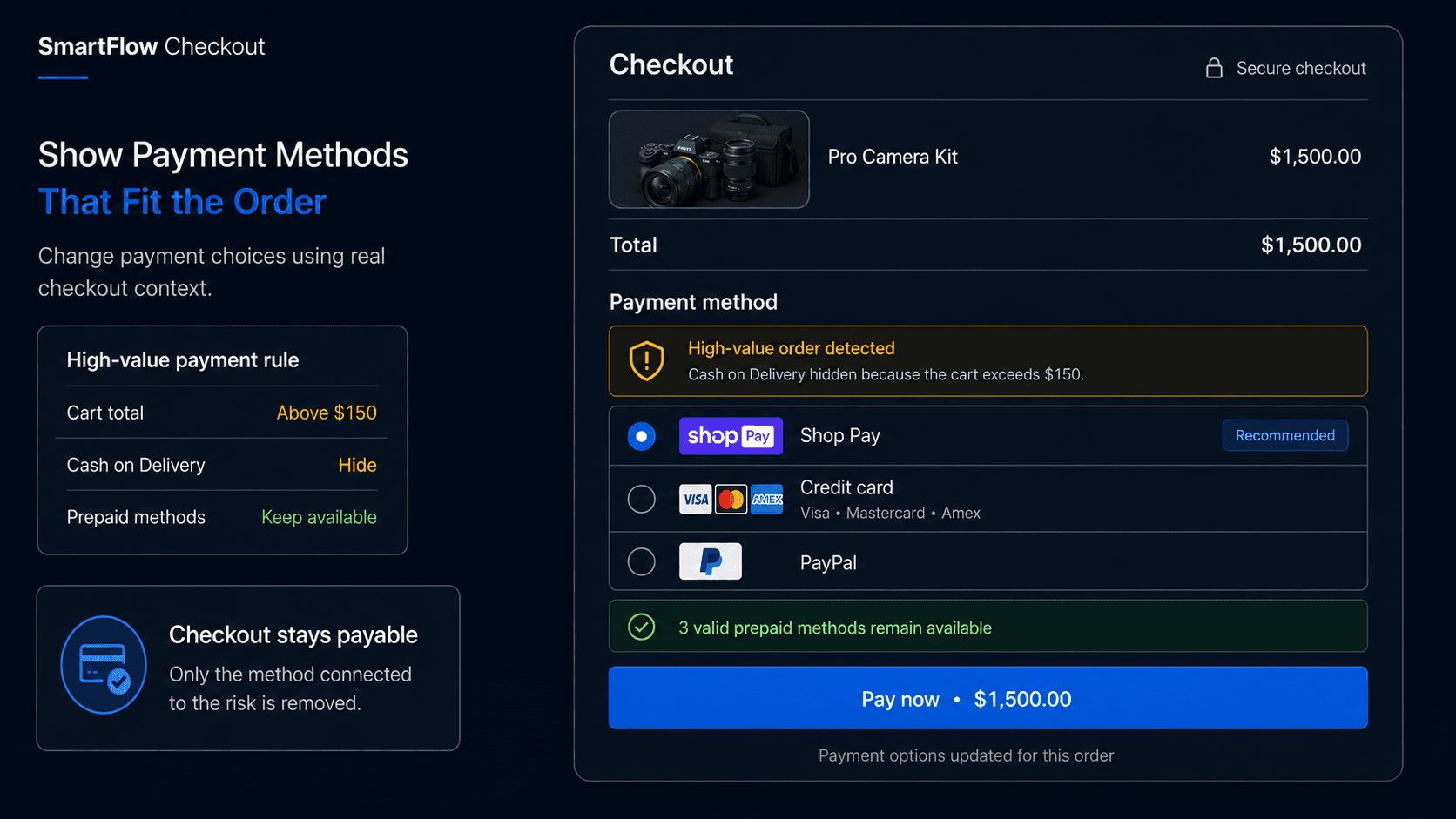
Show the Right Shopify Payment Methods for Each Order
Showing every payment method to every shopper is not always the best experience. Learn how SmartFlow Checkout can help merchants make payment options more relevant to the order being placed.
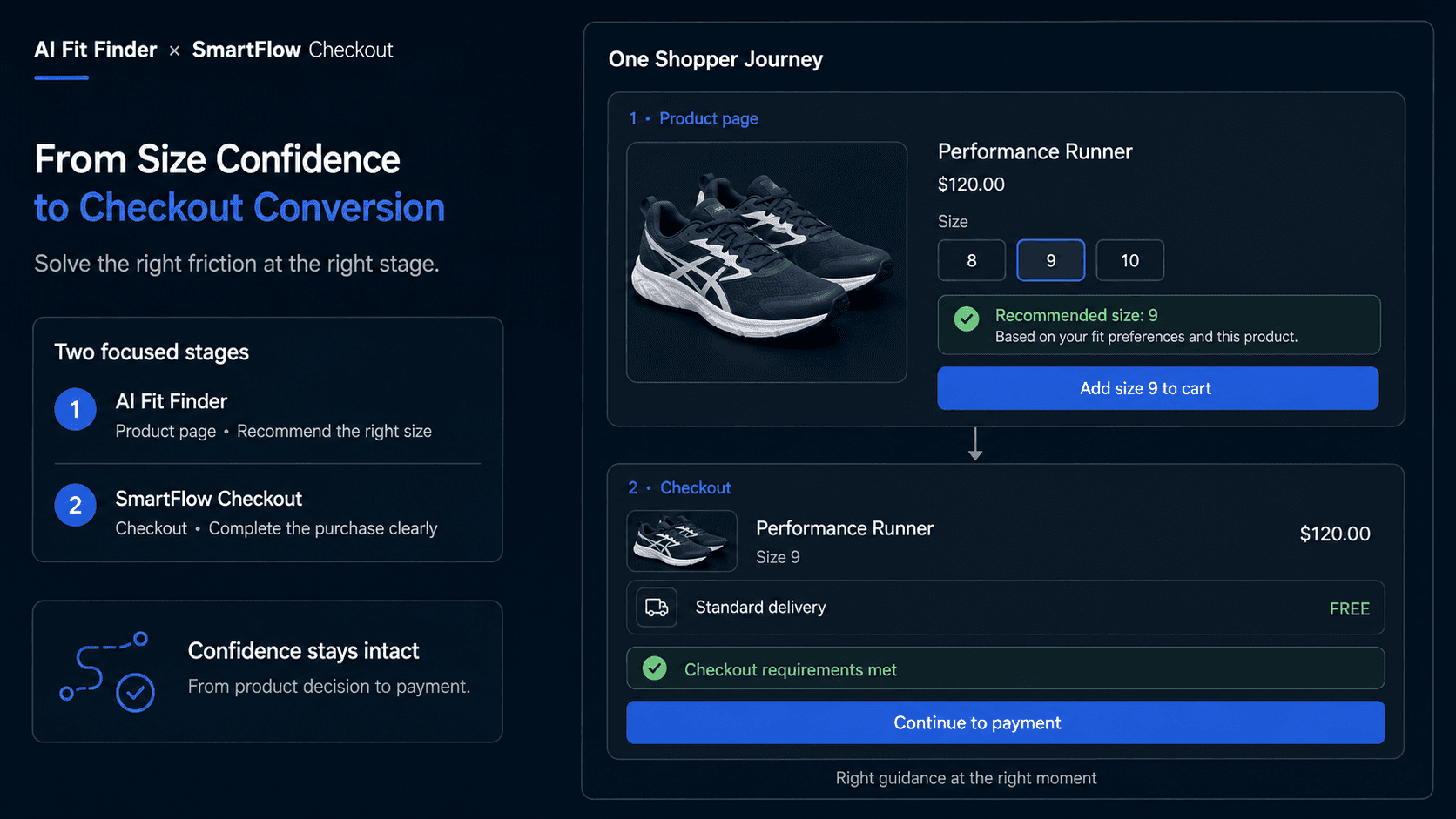
From Product-Page Confidence to Checkout Conversion
A fashion shopper can hesitate before adding a product to cart and again before completing checkout. AI Fit Finder helps with the size decision on the product page, while SmartFlow Checkout helps merchants improve what happens during checkout and after purchase.
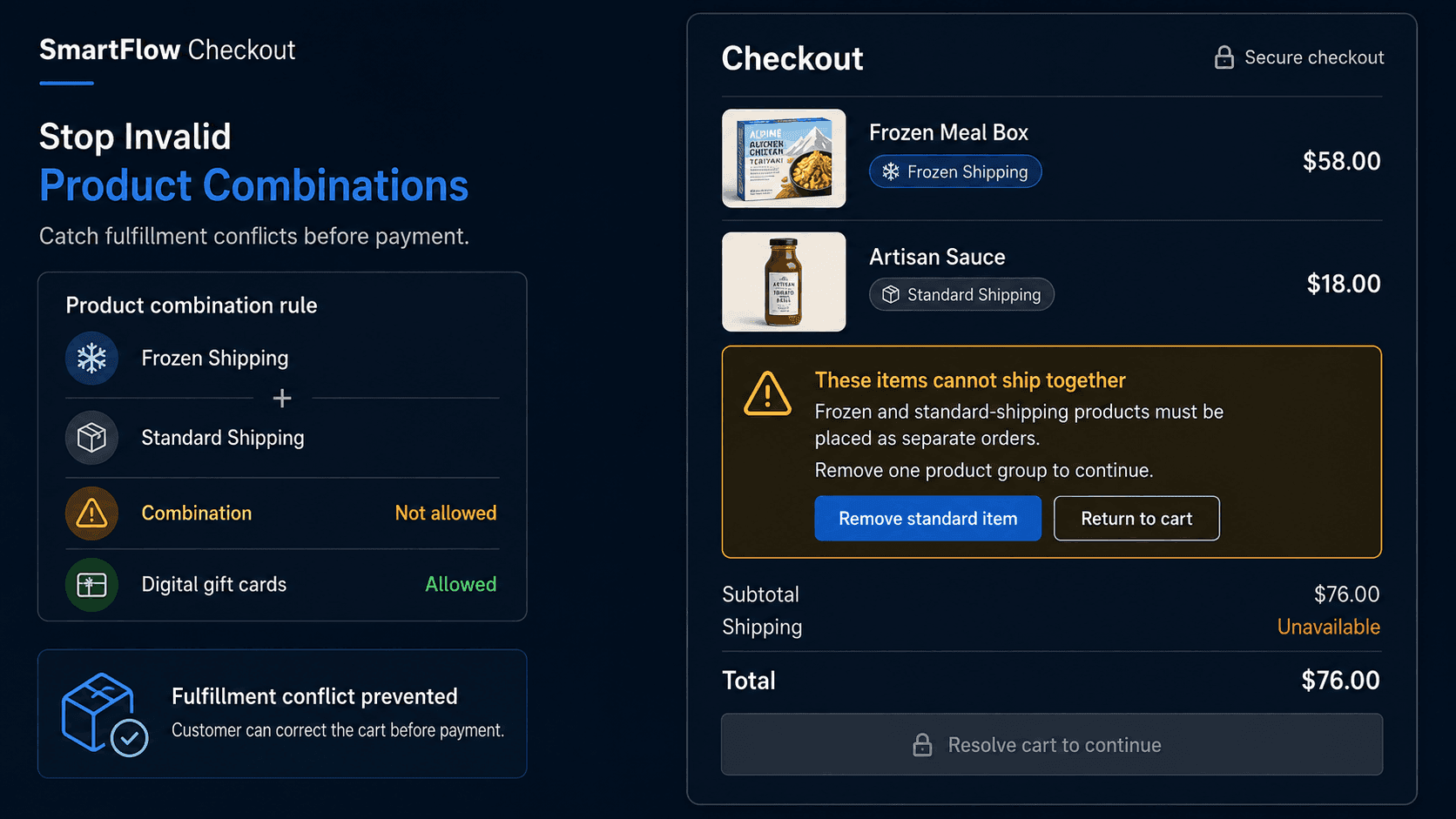
Prevent Customers From Ordering Products That Should Not Ship Together
Some products are perfectly valid on their own but create fulfillment problems when purchased together. Learn how SmartFlow Checkout can detect incompatible cart combinations before payment and tell customers exactly what needs to change.
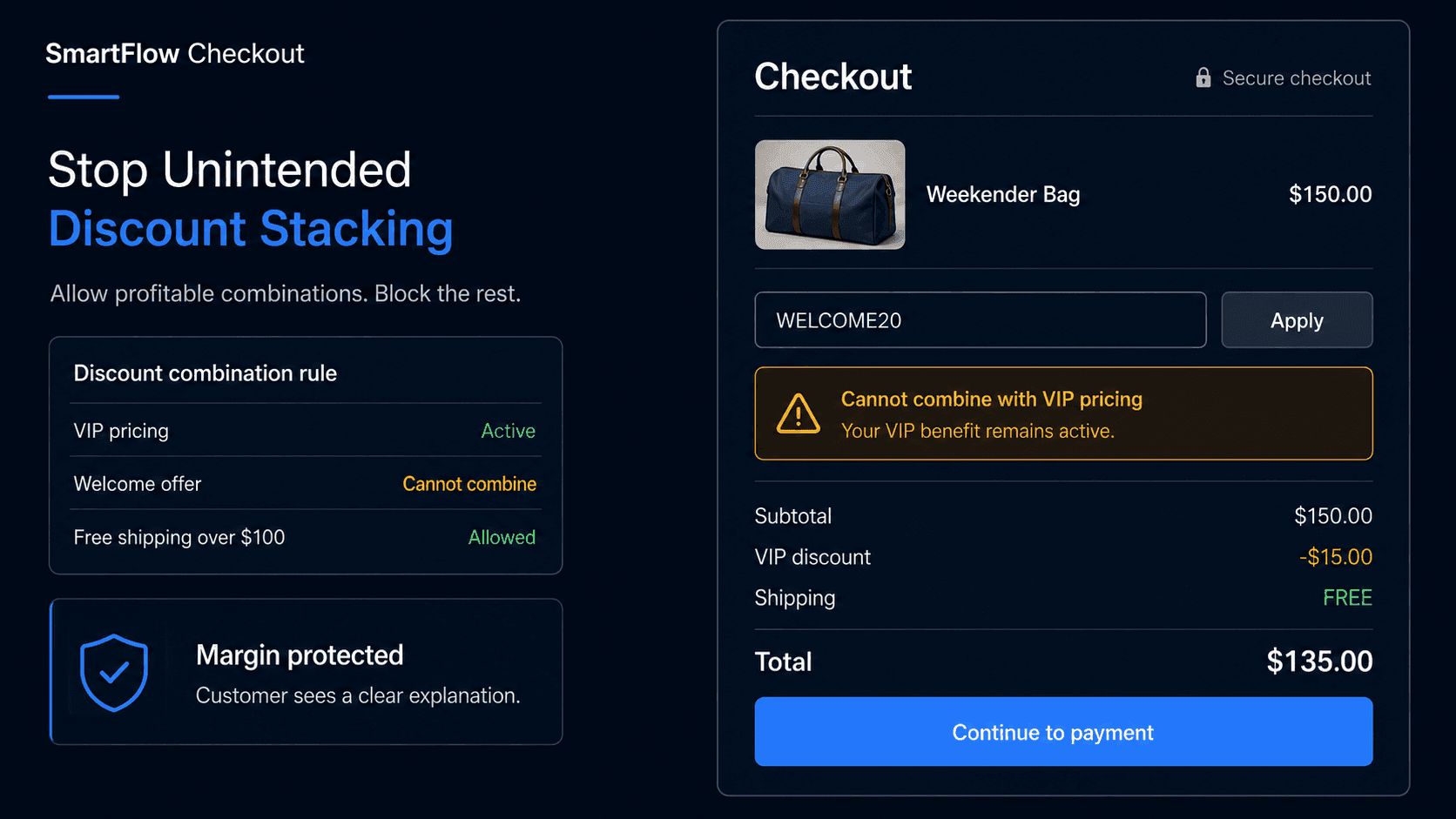
Stop Customers Combining Discounts You Never Intended
Each promotion may look profitable on its own, but combinations can create discounts you never intended. Learn how to control stacking, exclusions, customer eligibility, and checkout messaging without making promotions confusing.
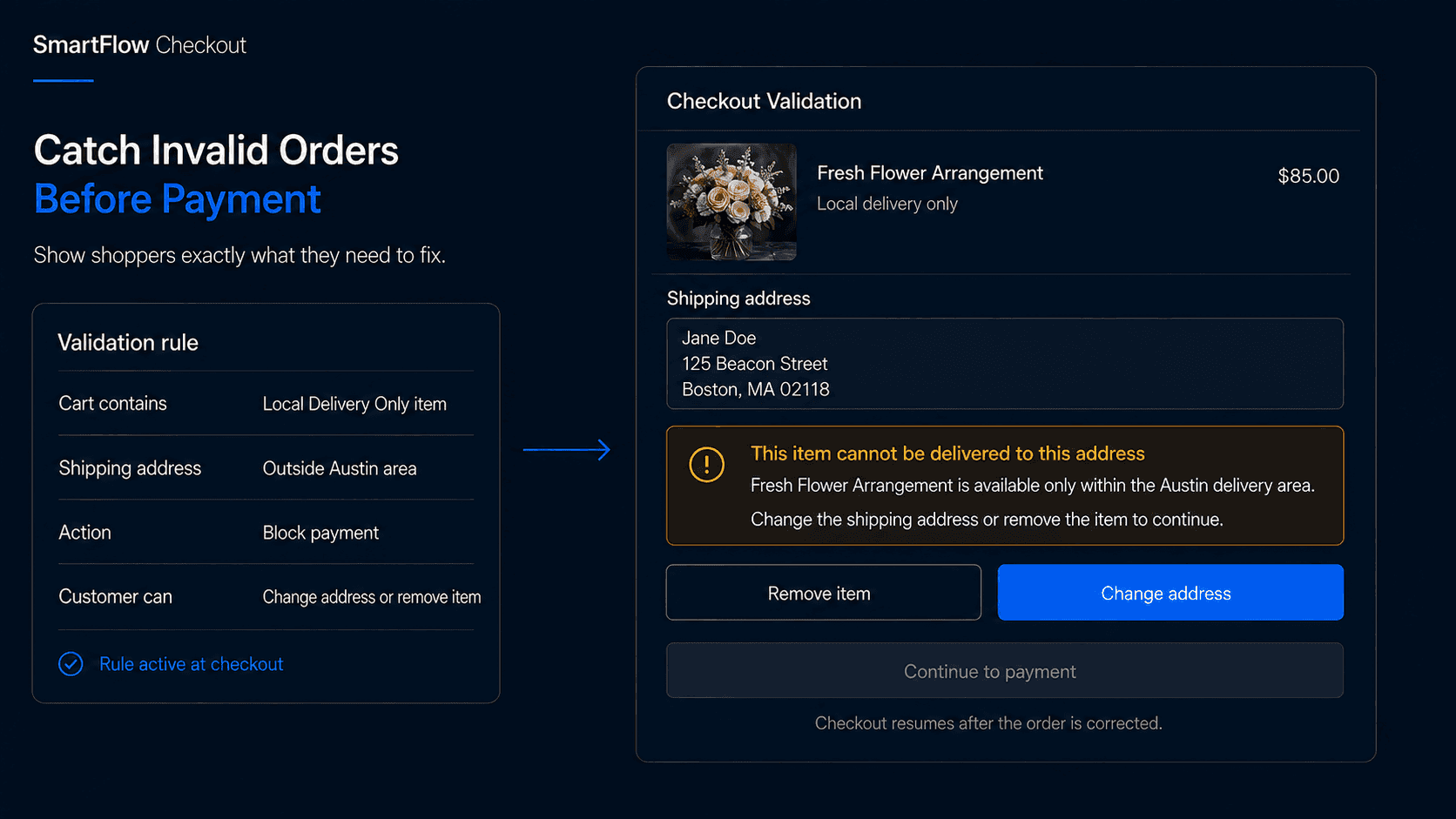
Stop Invalid Orders Before Payment With Shopify Checkout Validation
Some orders should never reach fulfillment in their current state. Learn how checkout validation can catch invalid product combinations, quantity rules, restricted destinations, and other order problems before payment.
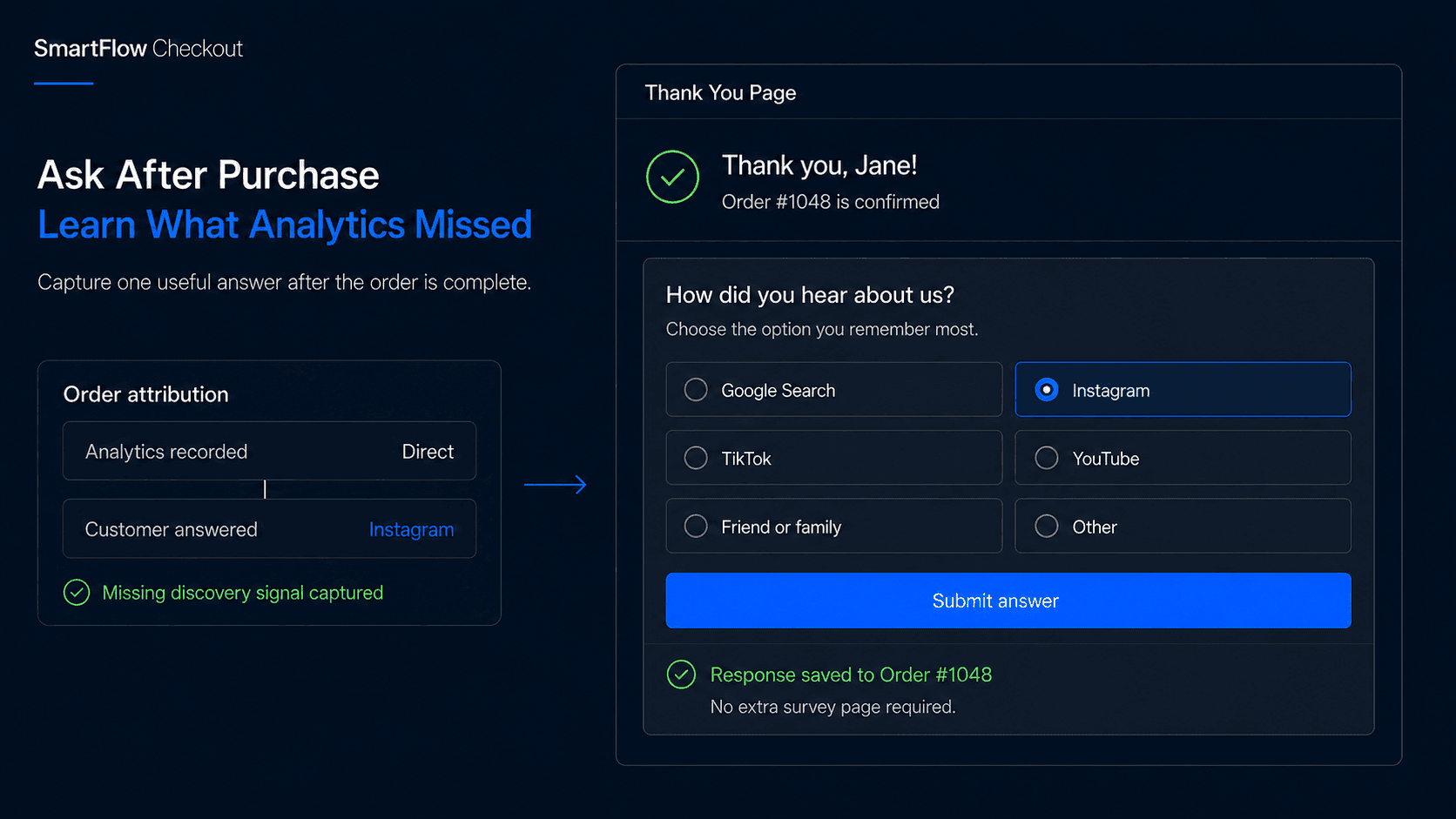
How Did You Hear About Us? A Better Shopify Attribution Signal
Ad dashboards rarely tell the whole customer journey. A simple post-purchase question can reveal the podcasts, creators, referrals, communities, and searches customers remember most.
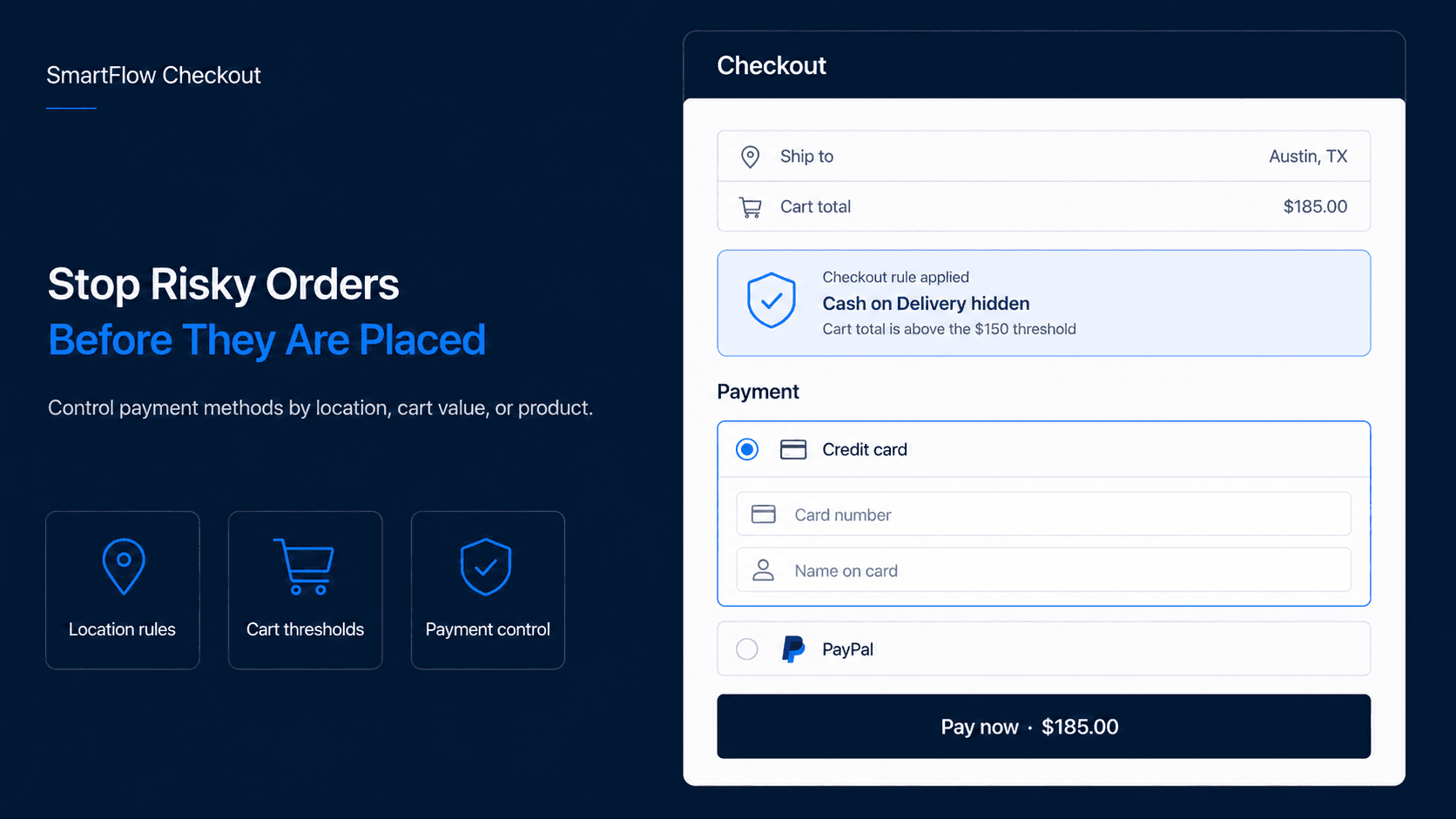
Protect Dropshipping Margins With Smarter COD and Payment Rules
A risky payment method can turn a successful order into a shipping loss. Smarter checkout rules help merchants decide when COD or other payment options should actually be available.
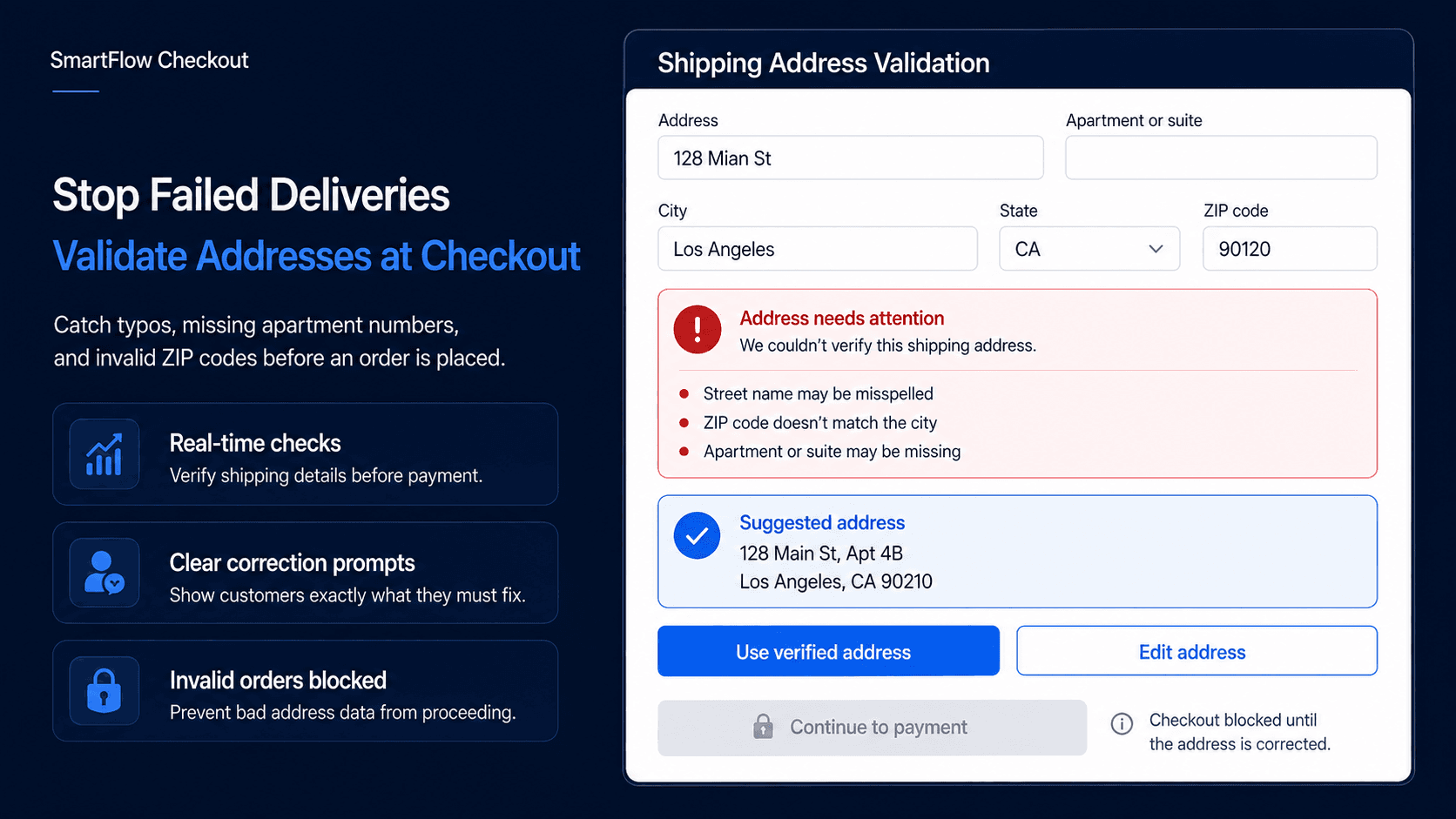
Shopify Address Validation: Catch Shipping Errors Before the Order
A bad address often becomes a support problem only after the order is placed. Address validation moves that check earlier, while the customer is still in checkout and able to fix the mistake.
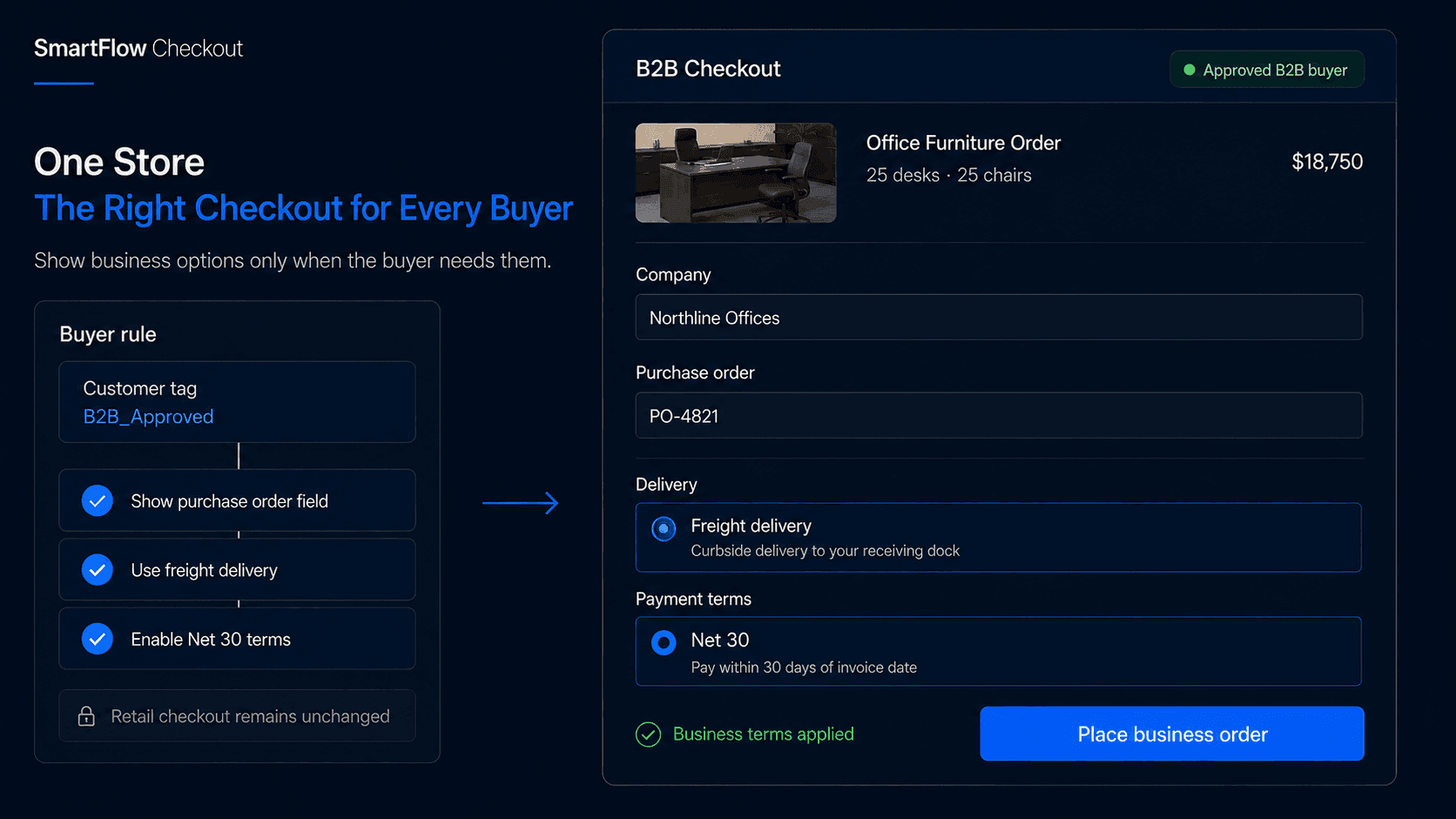
B2B and D2C on One Shopify Store: Adapt Checkout for Each Buyer
A wholesale buyer ordering 500 units should not see the same checkout experience as a retail customer buying one product. The challenge is adapting checkout without creating two disconnected stores.
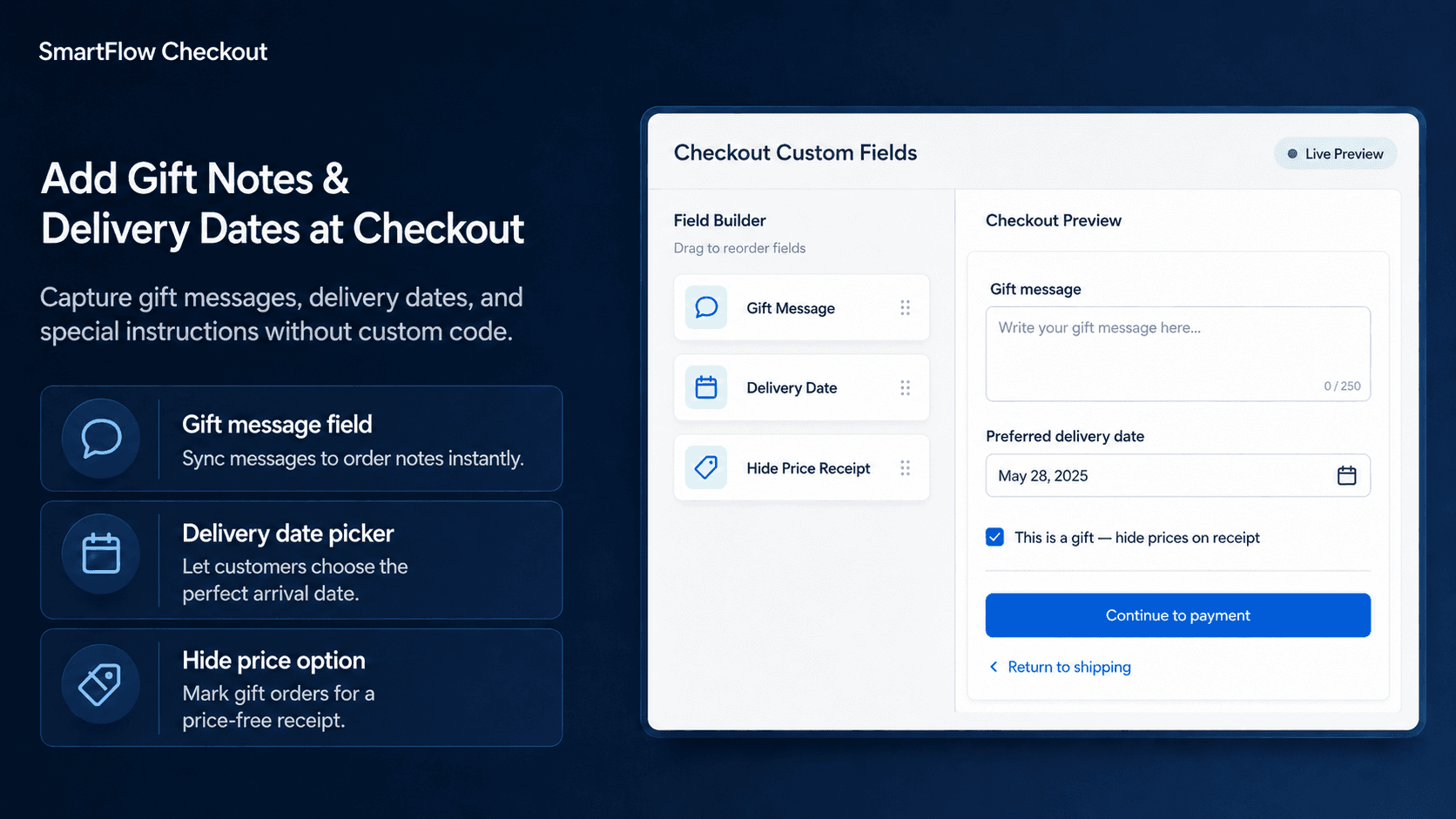
How to Add Custom Fields to Shopify Checkout
When an order needs more than a shipping address and payment method, the missing detail often becomes a support ticket later. Custom checkout fields help collect that information before fulfillment begins.
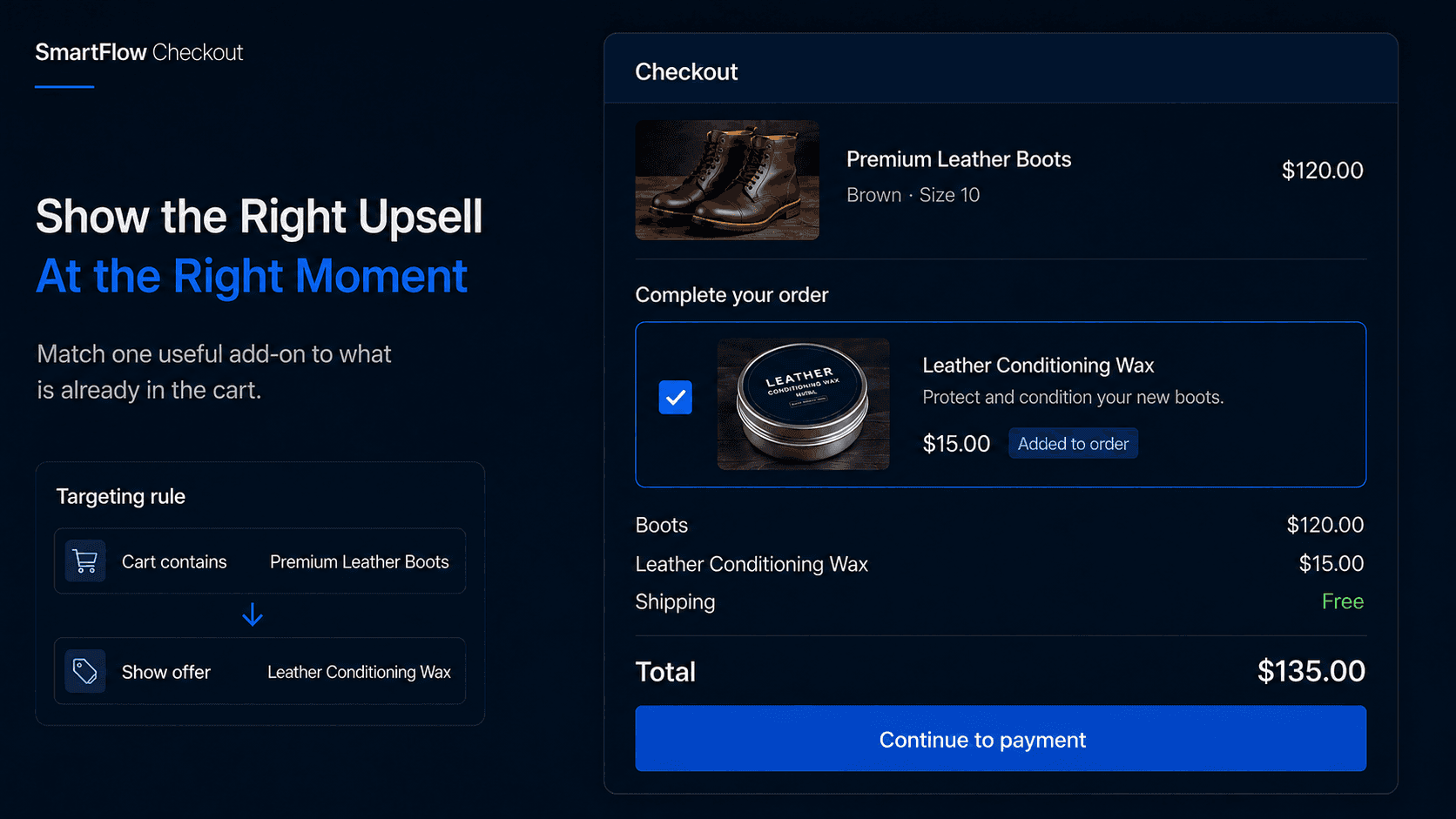
Shopify Checkout Upsells: How to Increase AOV Without More Traffic
Targeted checkout upsells can help merchants increase Average Order Value by showing relevant add-ons during the buying journey instead of interrupting shoppers with generic cart popups.