The Gift Is Ordered. But The Message Is Missing.
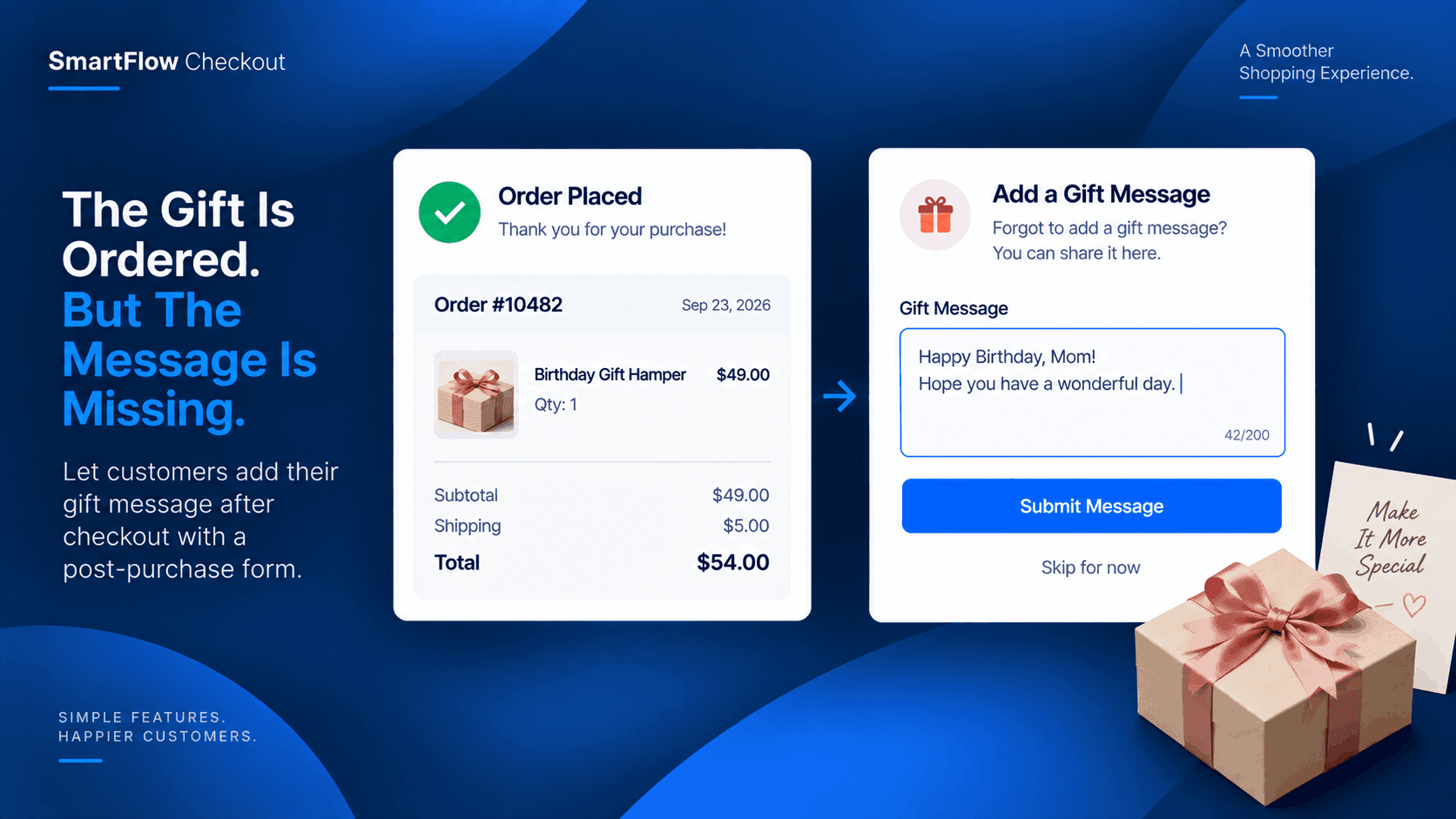
The birthday gift is ordered.
The payment went through.
The customer reaches the confirmation page and suddenly remembers:
"I forgot the gift message."
It is a small detail.
But for a gift store, that message can be part of what makes the order personal.
Now the customer needs to figure out how to send it to the store.
The Customer Already Paid
The customer does not want to place another order.
They do not need another product.
They simply want to add one more piece of information to the purchase they just made.
Without a post-purchase option, the next step is usually an email or support message.
That creates work for both sides.
The customer has to explain which order they are talking about.
The store has to find that order and make sure the message reaches the right fulfillment process.
The Missing Message Becomes A Task
Imagine a gift store receives an order for a birthday hamper.
The customer selects the gift and completes checkout.
A few moments later, they send:
"Please add: Happy Birthday, Mom! Hope you have a wonderful day."
The message is useful.
But now someone at the store has to connect it to the order.
If the store receives many customer messages every day, these small requests can become surprisingly difficult to manage.
Give Customers One More Step
A post-purchase form creates another opportunity.
After the order is placed, the customer can be presented with a simple form asking for information the store may still need.
For a gift store, that could simply be:
Gift message
[ Happy Birthday, Mom! Hope you have a wonderful day. ]
The customer submits it.
The store receives the additional information as part of the post-purchase workflow.
SmartFlow Checkout includes a post-purchase form builder for collecting additional customer information after checkout. :contentReference[oaicite:0]{index=0}
Make The Form Specific
The form does not need to ask for everything.
The customer has already completed checkout.
They already provided their core order information.
The form should focus on the one thing the store still needs.
For this use case:
Order: Birthday Gift Hamper
Additional information: Gift message
That is enough.
A focused form is easier for the customer to complete and easier for the merchant to use.
Keep The Gift Personal
Gift orders often contain details that do not belong in a standard product selection.
A message.
A name.
A short dedication.
Special instructions.
These details can appear after the customer has already made the purchase.
That is why post-purchase collection can make sense for gift businesses.
The customer gets another opportunity to provide a meaningful detail without restarting the checkout process.
The Store Gets The Information
From the merchant's perspective, the goal is simple.
The customer submits the message.
The store can then use that information as part of its order-handling process.
Instead of searching through unrelated support conversations for:
"Where was that birthday message for order #1234?"
the business has a defined place in the post-purchase flow where the additional information was collected.
That creates a cleaner operational process.
One Simple Customer Journey
The experience can be straightforward:
Customer chooses gift
↓
Customer completes checkout
↓
Post-purchase form appears
↓
Customer adds gift message
↓
Store receives the information
There is no need to interrupt the original purchase.
The customer can complete the purchase first and provide the additional detail immediately afterward.
This Is Bigger Than Gift Messages
Gift messages are one example of information that customers may remember after checkout.
Depending on the business, a post-purchase form could collect other relevant details.
A gift store might ask for:
Recipient name
Gift message
Special occasion
A custom-product store might need a personalization detail.
Another business might need an instruction that is useful for fulfillment.
The important point is that the information is collected after the main purchase is complete.
Don't Turn Every Request Into Support
Customer support is useful when customers have a problem.
But not every post-purchase detail needs to become a support conversation.
If the store already knows that gift customers commonly need to provide a message, it can create a specific post-purchase step for that information.
The customer gets a clear place to provide it.
The store gets a clearer process for collecting it.
Start With One Question
The merchant does not need to build a long form.
For this workflow, one question can be enough:
What would you like us to write on the gift?
The customer enters the message.
The store gets the information.
That is the entire idea.
Small post-purchase forms can solve small but recurring problems without adding unnecessary complexity to checkout.
Common Questions
Can customers provide a gift message after checkout?
Yes. SmartFlow Checkout provides a post-purchase form builder that can be used to collect additional customer information after an order is placed. :contentReference[oaicite:1]{index=1}
Does the customer need to place another order?
No. The purpose of this workflow is to collect additional information after the original purchase has already been completed.
Can the form collect information other than a gift message?
Yes. The form can be designed around the additional information the merchant needs to collect after checkout.
Is this useful for custom products?
It can be. Businesses that need additional personalization or fulfillment information after checkout can use a post-purchase form when that information is not required during the initial purchase.
Let The Customer Remember
Customers will sometimes remember something immediately after paying.
For a gift store, it might be the message they wanted to include with the present.
The customer has already completed the important part: choosing the gift and placing the order.
They should not have to start over just to provide one missing detail.
With SmartFlow Checkout, a post-purchase form can create a simple second step:
Gift ordered → message remembered → message submitted → store can use it.
The checkout does not have to end every customer interaction.
Sometimes, the useful information arrives just after it.
Try SmartFlow Checkout
Collect the additional information your customers remember after checkout with a focused post-purchase experience.