The Order Is Paid. But Your Customer Still Needs to Know What Happens Next.
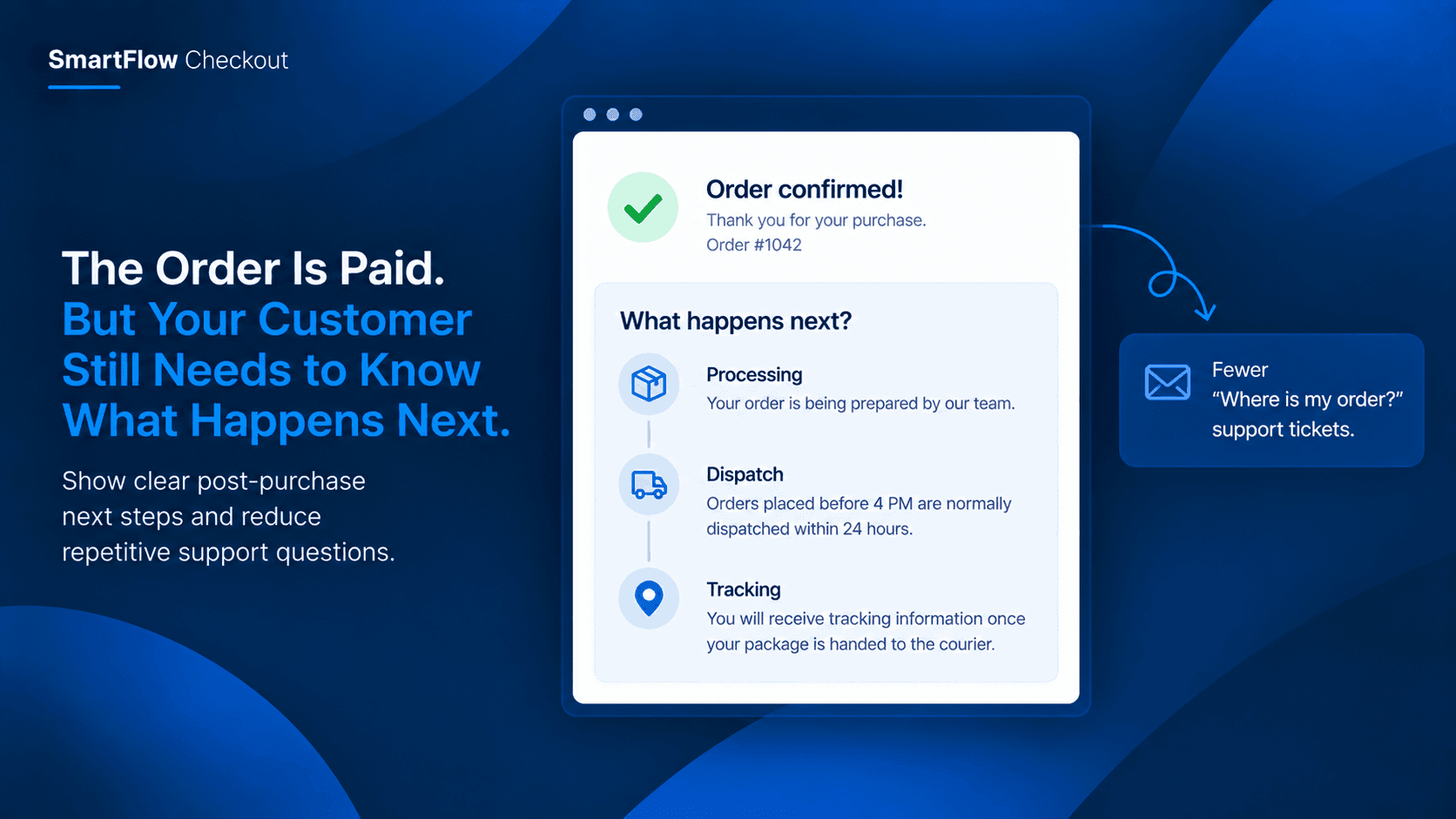
The order has just been placed.
Payment is successful. The customer sees the confirmation and closes the checkout.
A few minutes later, the support inbox gets a message:
“When will my order be shipped?”
Then another:
“Will I get tracking details?”
And another:
“What happens after I place the order?”
For one order, answering these questions is easy.
For a growing Shopify store, the same questions can appear dozens or hundreds of times.
The problem is not that customers are asking unreasonable questions.
The problem is that the order confirmation tells them their purchase was successful, but it may not clearly explain what happens next.
That small gap can create unnecessary support work.
The Paid Order Is Not The End
Merchants naturally focus heavily on getting customers through checkout.
Payment needs to work.
Shipping needs to work.
The order needs to be created correctly.
But once payment succeeds, the customer journey continues.
There is a short period where the customer is waiting for the merchant to process the order.
This is when uncertainty can appear.
A customer may not know whether the order is being packed immediately, processed later that day, or scheduled for dispatch the following business day.
They may also not know when tracking information will become available.
Without clear communication, they often turn to support for an answer.
Why Customers Ask These Questions
Customers are usually looking for simple information.
They want to understand:
- Has my order been received?
- When will processing begin?
- When should I expect dispatch?
- When will tracking become available?
- Is there anything I need to do now?
The merchant may already have standard answers to all of these questions.
The problem is that those answers are often delivered manually through email or support conversations.
That creates unnecessary repetition.
A store does not necessarily need another complicated workflow to solve it.
Sometimes the most useful improvement is simply putting the right information in front of the customer at the right moment.
Give Customers A Clear Next Step
Imagine a customer completes an order and immediately sees a short message explaining the process.
For example:
Order confirmed
Your order is now being prepared. Orders placed before 4 PM are normally dispatched within 24 hours. Tracking information will be shared once your shipment is handed to the courier.
The customer now has context.
They know the order went through.
They know what the merchant is doing next.
They know when they should expect another update.
Most importantly, they do not have to guess.
This is where a post-purchase message becomes useful.
Turn The Confirmation Into Guidance
SmartFlow Checkout includes Custom Banners for the post-purchase experience.
Merchants can use these messages to communicate information after payment, including operational notes such as dispatch expectations or other relevant instructions. :contentReference[oaicite:2]{index=2}
The goal is not to fill the confirmation page with information.
It is to answer the questions customers are most likely to have immediately after purchasing.
For example, a store could communicate:
Processing
“Your order is being prepared by our fulfillment team.”
Dispatch
“Orders placed before 4 PM are dispatched within 24 hours.”
Tracking
“Tracking information will be sent once your package is handed to the courier.”
Weekend orders
“Orders placed after Friday 4 PM will be processed on Monday.”
Each message removes a little uncertainty.
Make The Message Match Your Process
The message should reflect how the merchant actually operates.
A handmade business may need several days before dispatch.
A fast-moving ecommerce store may dispatch orders the same day.
A made-to-order business may need to explain that production begins after purchase.
The important part is not promising the fastest possible timeline.
It is setting an accurate expectation.
For example:
Your order is confirmed.
Our team will begin preparing it today. Made-to-order items normally require 2–3 business days before dispatch. You will receive tracking information once your order ships.
That message is useful because it explains the process rather than simply saying “Thanks for your order.”
Reduce The “Where Is My Order?” Gap
There is an important difference between a customer asking about an order too early and an order genuinely being delayed.
If the merchant has already explained that processing takes 1–2 business days, the customer has a reference point.
Without that information, the customer may interpret silence as a problem.
That can lead to messages such as:
“Has my order been processed?”
“Why haven't I received tracking yet?”
“Did my order go through?”
Clear post-purchase communication cannot solve an actual fulfillment delay.
But it can prevent normal processing time from being mistaken for a problem.
Keep The Message Short
Post-purchase communication should not become another wall of text.
The customer has already completed the purchase.
They need the important information quickly.
A useful structure is:
What happened:
Your order has been confirmed.
What happens next:
Our team will prepare and dispatch it.
What to expect:
Tracking information will be shared after dispatch.
That is enough for many stores.
The message should answer the customer's immediate question without making them read an entire policy page.
Use Different Messages When Needed
Not every order follows the same process.
A merchant may have different processing expectations for different products, campaigns, or situations.
SmartFlow's post-purchase components support conditional display logic, allowing merchants to make the experience more relevant to the situation. :contentReference[oaicite:3]{index=3}
For example, a store selling both ready-to-ship and made-to-order products may want customers to receive different information.
A ready-to-ship order could say:
Your order is being prepared and is normally dispatched within 24 hours.
A made-to-order purchase could say:
Your item is being prepared specifically for you. Production normally takes 3–5 business days before dispatch.
The customer receives information that makes sense for the purchase they just made.
Stop Making Support Repeat It
Consider a merchant receiving 50 post-purchase questions every day.
If even a portion of those questions are simply asking about processing or dispatch, the support team is spending time repeating information that the business already knows.
That time could instead go toward genuine customer problems.
A clear post-purchase message changes the interaction.
Instead of:
Customer: “When will my order ship?”
The customer sees:
“Orders are normally dispatched within 24 hours. Tracking will be shared after dispatch.”
The information is available before the question needs to be asked.
That is a small change, but it can remove a surprisingly repetitive part of ecommerce support.
What A Useful Message Looks Like
A good post-purchase message should be:
- Specific about the next step
- Honest about processing time
- Easy to understand
- Short enough to scan
- Relevant to the order
- Clear about when tracking or another update will arrive
Avoid vague messages such as:
“Your order is being processed.”
That does not tell the customer much.
A better message is:
“Your order is confirmed. Our team will prepare it today, and tracking will be shared once the package is dispatched.”
The second version answers the natural follow-up questions before they are asked.
Turn Post-Purchase Silence Into Clarity
The moment after payment is easy to overlook.
The merchant sees a successful order.
The customer sees a successful payment and then waits.
That waiting period is where uncertainty can begin.
SmartFlow Checkout gives merchants a way to use the post-purchase experience to communicate what happens next instead of leaving customers to figure it out themselves. Its Custom Banner capability can display operational messages such as dispatch information and other relevant notices after purchase. :contentReference[oaicite:4]{index=4}
The objective is simple:
Confirm the order. Explain the next step. Set the expectation.
That can make the experience clearer for customers while reducing repetitive questions for the support team.
Frequently Asked Questions
Can I show a message after purchase?
Yes. SmartFlow Checkout includes Custom Banners as part of its post-purchase capabilities. :contentReference[oaicite:5]{index=5}
What should a post-purchase message include?
Keep it focused on what the customer needs to know next. Processing time, dispatch expectations, and when tracking will be shared are useful examples.
Can different customers see different messages?
SmartFlow supports conditional display rules for its post-purchase components, allowing merchants to make messages more relevant to different situations. :contentReference[oaicite:6]{index=6}
Is this only useful for large Shopify stores?
No. Even a small store can benefit when customers repeatedly ask the same questions after placing an order.
Does this replace customer support?
No. It reduces avoidable questions by providing useful information at the right moment. Customers can still contact the merchant when they have a question that requires individual attention.
Give Customers The Information They Need
A successful payment does not automatically mean a customer knows what happens next.
They may still be waiting for processing, dispatch, and tracking information.
When those expectations are unclear, routine waiting can turn into unnecessary support conversations.
A short, useful post-purchase message can close that communication gap.
Instead of making customers ask, give them the answer immediately after they order.
SmartFlow Checkout helps Shopify merchants control more than the moment of payment. It also gives them tools to communicate with customers after the order is placed.
If your support team keeps answering the same “What happens next?” questions, this is one of the simplest parts of the customer journey to improve.
Make The Next Step Clear
SmartFlow Checkout helps merchants create rule-based checkout and post-purchase experiences without custom code. Its post-purchase tools include Custom Banners alongside forms, upsells, trust badges, and image carousels. :contentReference[oaicite:7]{index=7}
For stores that want customers to understand what happens immediately after payment, a clear operational message can be the difference between waiting with confidence and opening another support ticket.