Customers Are Close to Free Shipping. Do They Know It?
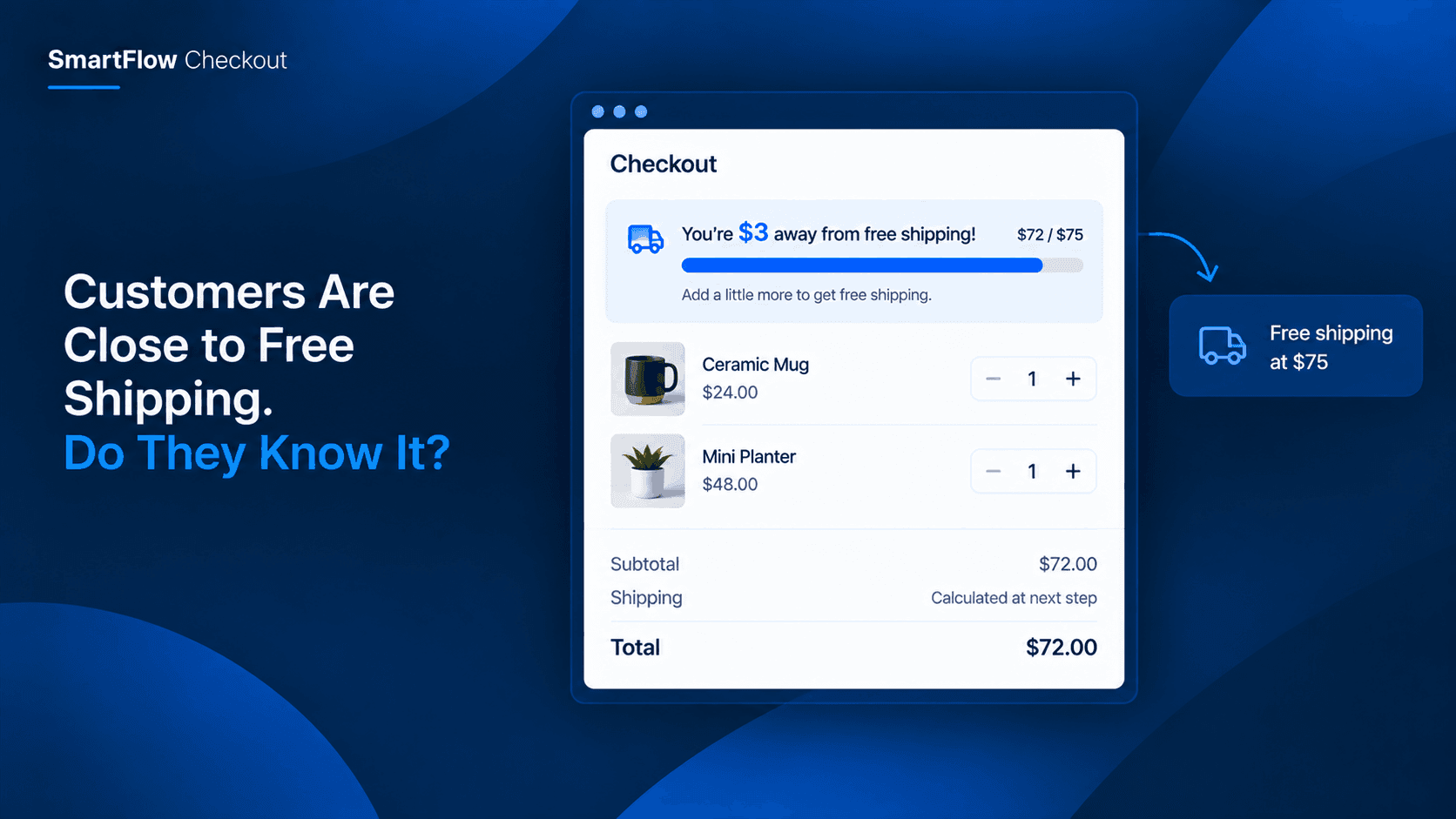
A customer reaches checkout with a cart worth $72.
Your store offers free shipping at $75.
They are only $3 away.
But the customer does not know that.
They see the shipping options, choose one, and place the order.
Three dollars separated that customer from a better offer.
The problem is not that the promotion was bad.
The customer simply never had a reason to notice how close they were.
The Customer Cannot See The Gap
Merchants often think about free shipping as a promotion.
Customers experience it differently.
They are looking at the products they want to buy and deciding whether the total feels reasonable.
If they do not know that spending a little more unlocks something valuable, they have no reason to change the cart.
That creates a missed opportunity.
A customer with a $72 cart may happily add another $15 product if they know it gets them past a $75 threshold.
Without that information, they may simply pay for shipping and leave.
The difference is not the offer.
It is visibility.
A Threshold Needs A Reason
"Free shipping over $75" sounds simple.
But there are two very different ways a customer can experience it.
In the first, they see a general promotion somewhere on the store.
They may remember it.
They may not.
At checkout, they see their total and shipping cost without connecting the two.
In the second, the checkout clearly shows:
"You are $3 away from free shipping."
Now the customer has a reason to consider adding something.
The threshold has become part of the buying decision instead of remaining a piece of promotional information somewhere else on the store.
Turn The Total Into Progress
This is where a progress bar can make the difference.
Instead of showing only the current cart value, the customer sees movement toward a goal.
For example:
$72 of $75
[██████████████████░]
$3 more to unlock free shipping
The customer does not have to calculate anything.
They do not have to remember the promotion.
They can immediately understand where they stand.
SmartFlow Checkout supports real-time tiered progress bars designed around AOV-driven goals and can be used to motivate customers toward the next discount level.
That makes the progress bar less like another promotional banner and more like a useful piece of checkout information.
Make The Goal Worth Reaching
A progress bar only works when the destination matters to the customer.
Free shipping is one example.
But the same idea can work with other order-value rewards.
For example:
Spend $75 → Free Shipping
Spend $100 → 10% Off
Spend $150 → 15% Off
The important part is that each level gives the customer a clear reason to continue.
Without a meaningful reward, the progress indicator becomes decoration.
With a useful reward, it can change how customers think about the last few dollars in their cart.
Instead of asking:
"Do I want to spend more?"
they may start asking:
"What could I add to reach the next benefit?"
That is a very different buying decision.
Do Not Make Customers Do The Math
Customers should not have to calculate how much more they need to spend.
Imagine the checkout simply says:
"Free shipping on orders over $75."
The customer has a $68 cart.
They now need to mentally calculate the difference.
Some will.
Many will not.
A progress bar removes that small piece of friction.
It can communicate the situation immediately:
"You are $7 away."
That number is much more actionable than a general promotion.
It tells the customer exactly what is possible with a small additional purchase.
Give The Customer A Natural Nudge
There is an important difference between helping someone and pressuring them.
A progress bar can be a quiet nudge.
It does not need a popup.
It does not need a countdown.
It does not need a large promotional message.
The customer is already checking out.
They are already considering the final value of their order.
Showing their progress simply gives them another piece of information before they finish.
If they want to add something, they can.
If they do not, they can continue with the original order.
That makes the experience feel more like guidance than interruption.
Build The Rule Around Cart Value
The merchant still needs to decide what the threshold should be.
Suppose your average order is around $55 and you offer free shipping at $75.
The progress bar can make that $20 gap visible.
But the goal should make sense for the store.
A threshold that is far above what customers normally spend may not encourage meaningful action.
A threshold that is only slightly above the average order value may create a much more realistic opportunity.
This is why progress bars work best when they are connected to an actual business goal.
The merchant is not simply trying to make customers spend more.
The merchant is showing customers a benefit that is already available if they reach the relevant threshold.
Multiple Levels Can Guide Spending
A single free-shipping threshold is useful.
Multiple levels can create a clearer path for stores that already use tiered offers.
For example:
$50 → Free Shipping
$75 → $10 Off
$100 → $20 Off
Now the customer's cart can move through different milestones.
A customer at $46 sees the first goal.
A customer at $72 may already have passed the first goal and be close to the second.
The experience can adapt to where the customer currently is rather than presenting the same message to everyone.
SmartFlow Checkout's documentation specifically describes tiered progress as a way to motivate customers toward the next discount level and increase basket value in real time. :contentReference[oaicite:1]{index=1}
Keep Checkout Focused
There is a temptation to put every promotion inside checkout.
That can quickly become confusing.
A customer might see:
"Free shipping!"
"10% off!"
"Buy two!"
"Add this product!"
"Limited-time offer!"
"Join our loyalty program!"
At that point, checkout stops feeling like a final step and starts feeling like another advertising page.
A progress bar works best when it has one clear purpose.
Tell the customer where they are.
Tell them what they can unlock.
Tell them how much more they need.
Then let them decide.
The clearer the message, the less explanation it needs.
Use A Goal Customers Understand
The wording matters.
Compare these two messages:
"Order value threshold: $75."
and:
"$3 more for free shipping."
The first describes a rule.
The second describes an opportunity.
Customers do not need to understand your promotion structure.
They need to understand what happens if they continue shopping.
Simple language makes the progress bar useful even for someone seeing it for the first time.
Turn Checkout Into A Decision Point
The checkout page is often treated as the place where customers stop shopping.
But it can also be the last moment when a customer is willing to reconsider the contents of their cart.
They have already chosen products.
They are already thinking about the total.
They are deciding whether to complete the purchase.
A relevant progress bar can give them one final piece of information:
"You are almost there."
That can be enough for some customers to add a small item they were already considering.
And that is a much healthier use of checkout messaging than trying to introduce an unrelated promotion at the final step.
FAQ
What is a checkout progress bar?
A checkout progress bar visually shows how close a customer's current order is to a defined goal, such as a discount or free-shipping threshold.
Can a progress bar encourage customers to spend more?
Yes. The purpose of a progress bar is to make the next reward visible. When customers can see that they are close to a meaningful threshold, they may decide to add another product to reach it.
Can I use a progress bar for free shipping?
Yes. SmartFlow Checkout's documentation specifically gives AOV-driven progress bars and free-shipping or discount thresholds as examples of how merchants can motivate higher basket values.
Does the customer have to calculate how much more they need?
The benefit of the progress-bar approach is that the remaining amount can be communicated directly, so customers do not have to work out the difference themselves.
Can I create multiple spending levels?
SmartFlow Checkout supports tiered progress concepts where customers can be guided toward the next discount level rather than only one fixed target. :contentReference[oaicite:3]{index=3}
Is the progress bar available on every Shopify plan?
According to SmartFlow Checkout's documentation, the native checkout extension components, including the progress bar, are Shopify Plus functionality. The core SmartFlow features such as payment customization, delivery customization, discounts, checkout validation, post-purchase extensions, and order editing are available across Shopify plans.
Make The Next Reward Visible
A free-shipping threshold can be a powerful reason to increase order value.
But only when customers understand how close they are.
A customer with a $72 cart does not necessarily think about the $3 gap between their order and your free-shipping threshold.
They simply see their total and make a decision.
A progress bar changes that by turning an invisible opportunity into something customers can immediately understand.
Instead of another promotional message, it gives them useful context at the exact moment they are deciding whether to complete the purchase.
For merchants, that can mean more customers reaching the threshold they were already interested in.
For customers, it can mean getting a better deal without feeling pushed into an unrelated purchase.
That is the real value of a good checkout progress bar.
It does not force the customer to spend more.
It simply makes the next benefit visible.
If customers are already close to your next offer, make sure they can see it.