Your Handmade Candle Has 5 Orders. Why Are They All Untagged?
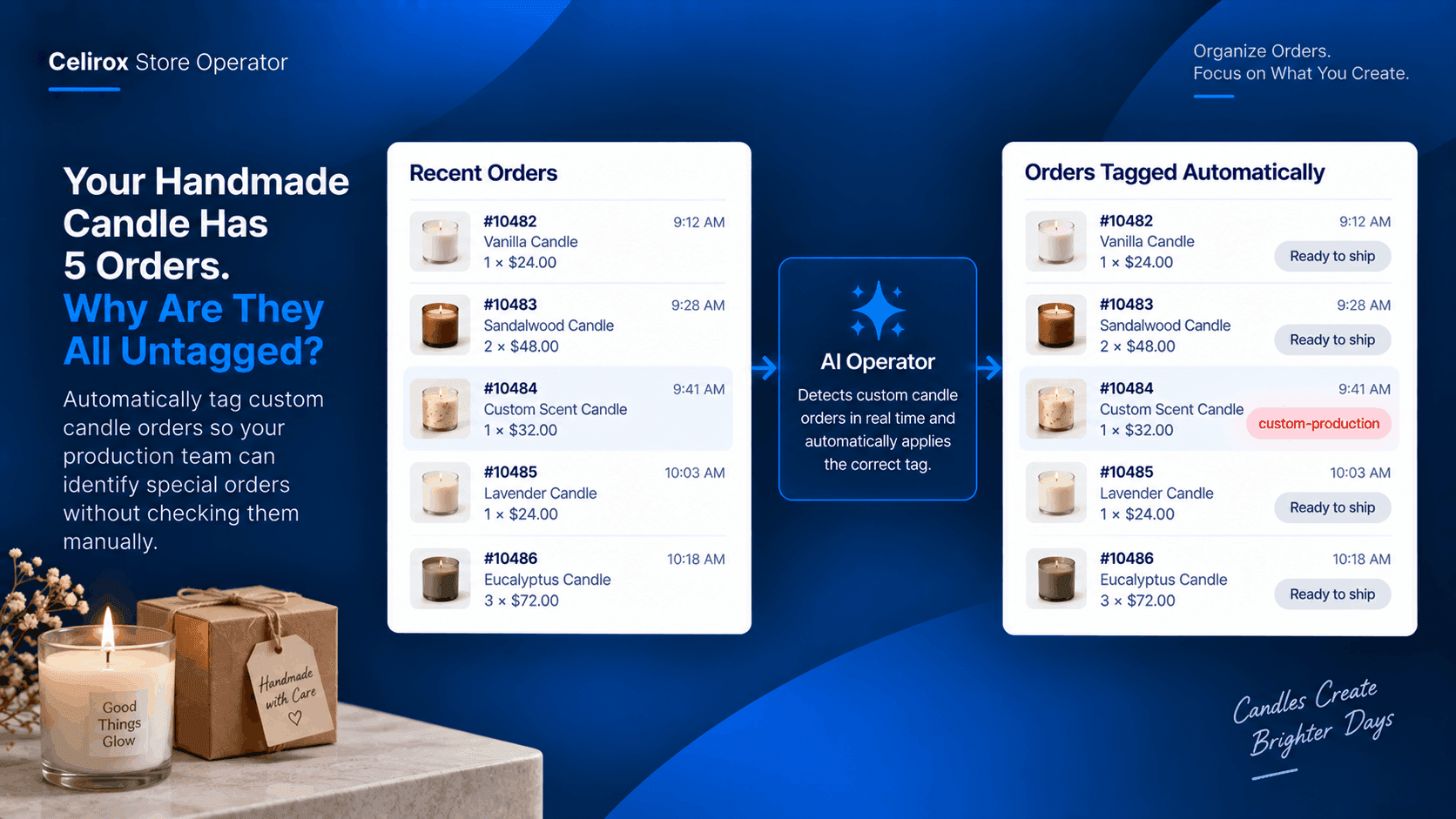
Five candle orders came in this morning.
Four are ready-to-ship candles.
One contains a custom-scent candle that needs to go through the production process before it can leave the workshop.
The production team knows this kind of order needs different handling.
The problem is finding it.
Not Every Candle Ships The Same
A handmade candle store may sell products that look similar from the customer's perspective.
A lavender candle might already be prepared.
A custom-scent candle might need to be made after the order arrives.
Both are simply candle products in Shopify.
But internally, they follow different processes.
That difference matters when the order reaches the production team.
Someone Has To Find It
Without an automated rule, someone has to inspect incoming orders.
Open the order.
Look at the products.
Check whether it is custom.
Add an internal note or tag.
Move to the next order.
Five orders may not sound like much.
But when the store receives dozens of orders, repeatedly checking them becomes another daily task.
Let The Product Trigger The Tag
The merchant already knows the rule.
If an order contains a custom candle, the production team needs to know.
That can become an automated workflow:
Custom candle ordered → identify qualifying order → apply custom-production tag
Now the important information is visible without someone manually inspecting every order.
Give Production A Clear Signal
The tag should have a practical purpose.
For example:
custom-production
made-to-order
scent-confirmation
workshop-required
The exact tag depends on how the candle business operates.
The important part is that the tag tells the next person something useful.
When the production team sees the order, they immediately know it belongs to a different workflow.
Keep Ready-To-Ship Orders Separate
The store may have two very different processes.
Ready-to-ship candle
Pick → Pack → Ship
Custom candle
Review → Produce → Pack → Ship
The customer sees a candle in both cases.
The business sees two different fulfillment paths.
Automatically tagging the relevant orders helps make that distinction visible.
Start With One Candle
The merchant does not need to build rules for every product immediately.
Start with one product that has a clear operational difference.
For example:
Product: Custom Lavender & Vanilla Candle
Condition: Order contains this product
Action: Apply custom-production
Result: Production team can identify the order immediately
Once the workflow proves useful, the merchant can extend it to other made-to-order products.
Remove The Manual Checking
The value here is not that applying a tag is difficult.
It takes seconds.
The problem is having to remember to do it for every qualifying order.
When the store gets busy, one order can easily be missed.
A product-based rule gives the store a consistent way to identify the orders that need special attention.
Make Small Rules Useful
Store automation does not always have to solve a huge business problem.
Sometimes the most useful workflow is a small rule that removes a repetitive task from someone's day.
For a handmade candle store, that might simply be:
If custom candle → tag order
The team can then use that tag wherever it fits into its production process.
Small rules can become especially useful when the same situation happens every day.
Build Around Your Products
The same approach can work for other candle products with different operational requirements.
A personalized wedding candle could receive a personalized tag.
A large centerpiece candle could receive a large-item tag.
A made-to-order scent could receive a production-required tag.
The store's products become the trigger for the internal workflow.
Keep The Customer Experience Simple
The customer does not need to see any of these internal tags.
From their perspective, they simply ordered a candle.
The automation happens behind the scenes.
The production team gets the information it needs without asking the customer to do anything differently.
That is often where useful store automation belongs: inside the operation, where it can remove repetitive work without adding friction to the shopper.
Common Questions
Can orders be tagged based on the product purchased?
Yes. Store Operator can support product-based workflows where qualifying orders receive an appropriate tag according to the merchant's configured rules.
Does the customer see the internal order tag?
The tag is intended to support the merchant's internal store workflow rather than change the customer's shopping experience.
Can different products trigger different tags?
Yes. Merchants can create different product-based rules for different operational requirements.
Is this useful only for candle stores?
No. The same approach can be used wherever certain products require different internal handling, production, or fulfillment processes.
Let The Product Tell The Team
The candle store already knows which products require special handling.
The challenge is making sure the team recognizes those orders every time.
Instead of checking every order manually, the store can turn the product itself into the trigger:
Custom candle ordered → qualifying order identified → internal tag applied → production team knows what to do.
That is a small workflow.
But when the same check happens every day, removing it from the manual workload can make the store easier to operate.
Try Celirox Store Operator
Automate product-based order workflows and give your team clearer signals for the orders that need special handling.