The Customer Bought Running Shoes. Now Their Order Needs Special Attention.
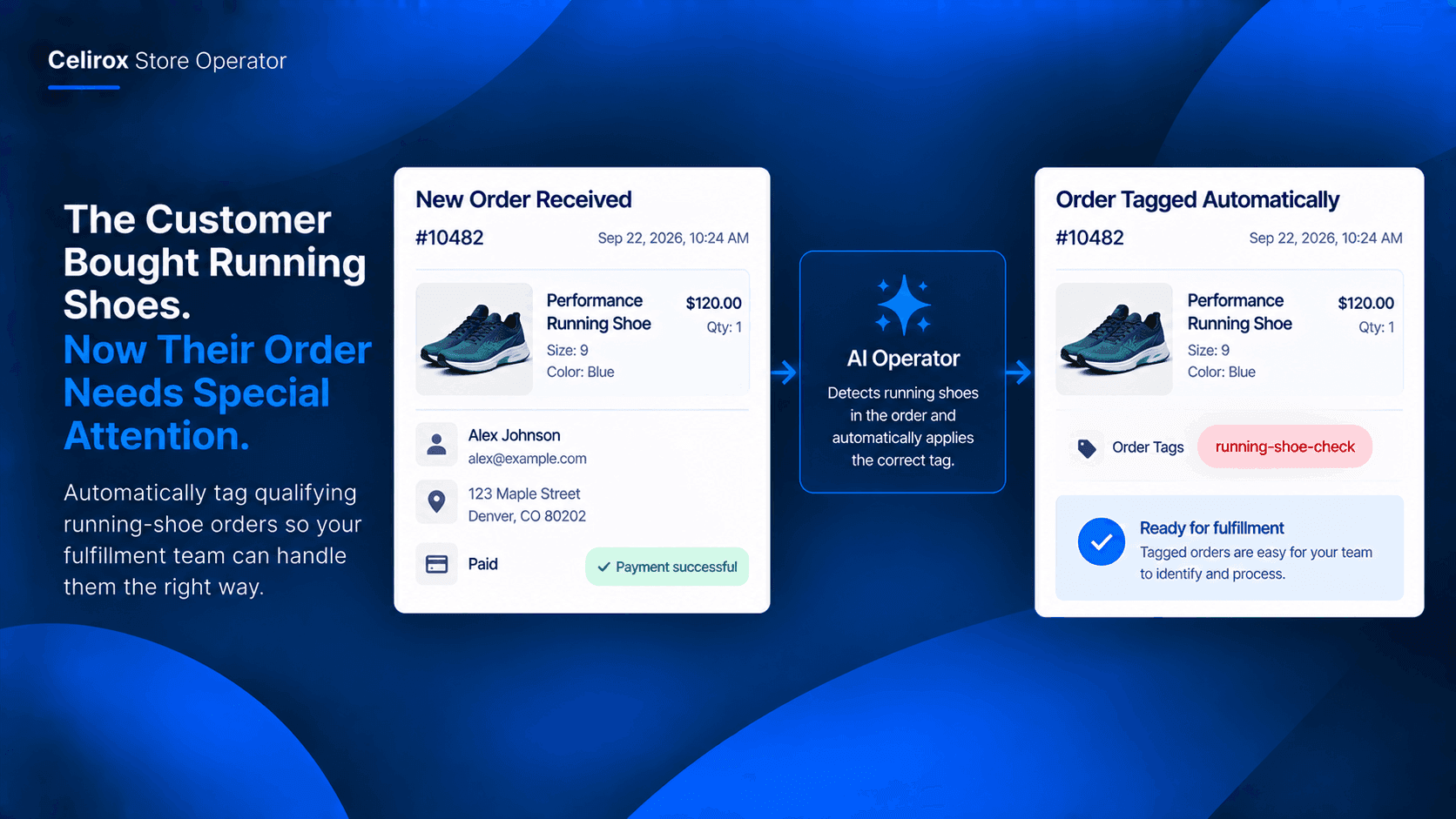
The order comes in like any other.
One pair of running shoes.
Customer details look normal.
Payment is complete.
But the fulfillment team needs to treat this particular product differently from ordinary orders.
Maybe the shoe requires a specific packing process. Maybe it needs an additional quality check. Maybe the warehouse team has a separate workflow for premium running shoes.
Whatever the reason, the team needs to recognize the order before fulfillment.
Finding The Right Orders
The store may receive dozens or hundreds of orders every day.
The fulfillment team cannot realistically open every order and remember which products require special attention.
So someone starts checking.
Open an order.
Look at the product.
Check whether it qualifies.
Add a tag.
Move to the next order.
It is simple work, but it repeats constantly.
Let The Product Identify Itself
Instead of starting with every order, the merchant can define the product that matters.
For example:
Product: Performance Running Shoe
When an order contains that product, the workflow can recognize the condition and apply the appropriate internal order tag.
The result might look like:
Order #10482
Performance Running Shoe
Tag: running-shoe-check
Now the fulfillment team can immediately see that the order belongs to the special workflow.
Turn A Product Into A Rule
The useful part is not the tag itself.
It is the connection between the product and the action.
The merchant defines a simple rule:
If an order contains this product → apply this tag.
That means the team does not need to manually inspect every incoming order.
The product becomes the trigger for the internal workflow.
Keep Fulfillment Focused
Imagine a sports store selling running shoes, football boots, gym equipment, and accessories.
Only certain running shoes require an additional fulfillment check.
Without automation, the warehouse team may need to remember which products qualify.
With product-based order tagging, qualifying orders can be identified automatically.
The team can then work from the tagged orders instead of searching through the entire order list.
Make The Tag Useful
The tag should tell the team something actionable.
For example:
premium-shoe-check
special-packaging
warehouse-review
running-shoe-order
The exact tag depends on the merchant's process.
The important thing is that the tag creates a visible signal for the next person handling the order.
One Product Can Trigger A Workflow
The same approach can work with different products in the store.
A merchant might have:
Carbon-plated running shoes
→ premium-shoe-check
Oversized gym equipment
→ large-item-handling
Fragile sports accessories
→ fragile-packing
Each product can be connected to the internal process that belongs to it.
That is more useful than giving every order the same generic tag.
Reduce Manual Order Checking
Manual checking becomes especially frustrating when the rule is easy to explain.
"If the order contains this product, tag it."
That is not a decision that requires someone to inspect every order.
It is a repeatable store operation.
Celirox Store Operator can help automate store workflows such as tagging and order organization, allowing merchants to define conditions and actions instead of repeatedly performing the same administrative step.
Start With One Product
The merchant does not need to build a complicated system for the entire catalog.
Start with one product.
For example:
Product: Performance Running Shoe
Condition: Order contains the product
Action: Apply running-shoe-check
Result: Fulfillment team can identify the order immediately
Once the process proves useful, the merchant can apply the same logic to other products with different fulfillment requirements.
Build Around How Your Store Works
Every store has products that behave differently.
Some need special packaging.
Some require an additional quality check.
Some are handled by a particular warehouse team.
Some may need an internal instruction before they are shipped.
The product itself can be the simplest way to identify these orders.
Instead of teaching employees to remember every exception, the store can turn those exceptions into rules.
Common Questions
Can orders be tagged based on the product they contain?
Yes. Store Operator can support product-based workflows where qualifying orders can be identified and tagged according to the merchant's rules.
Does this change the customer's order?
No. The purpose of the tag is to support the merchant's internal workflow and help the team identify qualifying orders.
Can different products have different tags?
Yes. Merchants can create different rules for different products or product conditions depending on their operational needs.
Is this useful only for running shoes?
No. The same approach can be applied to other ecommerce categories where certain products require different internal handling.
Let Products Trigger The Work
The fulfillment team already knows what needs special attention.
The problem is finding those orders consistently.
For a running store, a product-based rule can make that simple:
Running shoe ordered → qualifying order identified → appropriate tag applied → fulfillment team knows what to check.
Instead of someone repeatedly searching through orders, the store can let the product itself trigger the internal workflow.
That is the kind of small automation that can remove a surprisingly repetitive task from everyday store operations.
Try Celirox Store Operator
Automate product-based store workflows and let your team spend less time manually sorting orders.