The Customer Ordered It. Now Your Team Has to Find It.
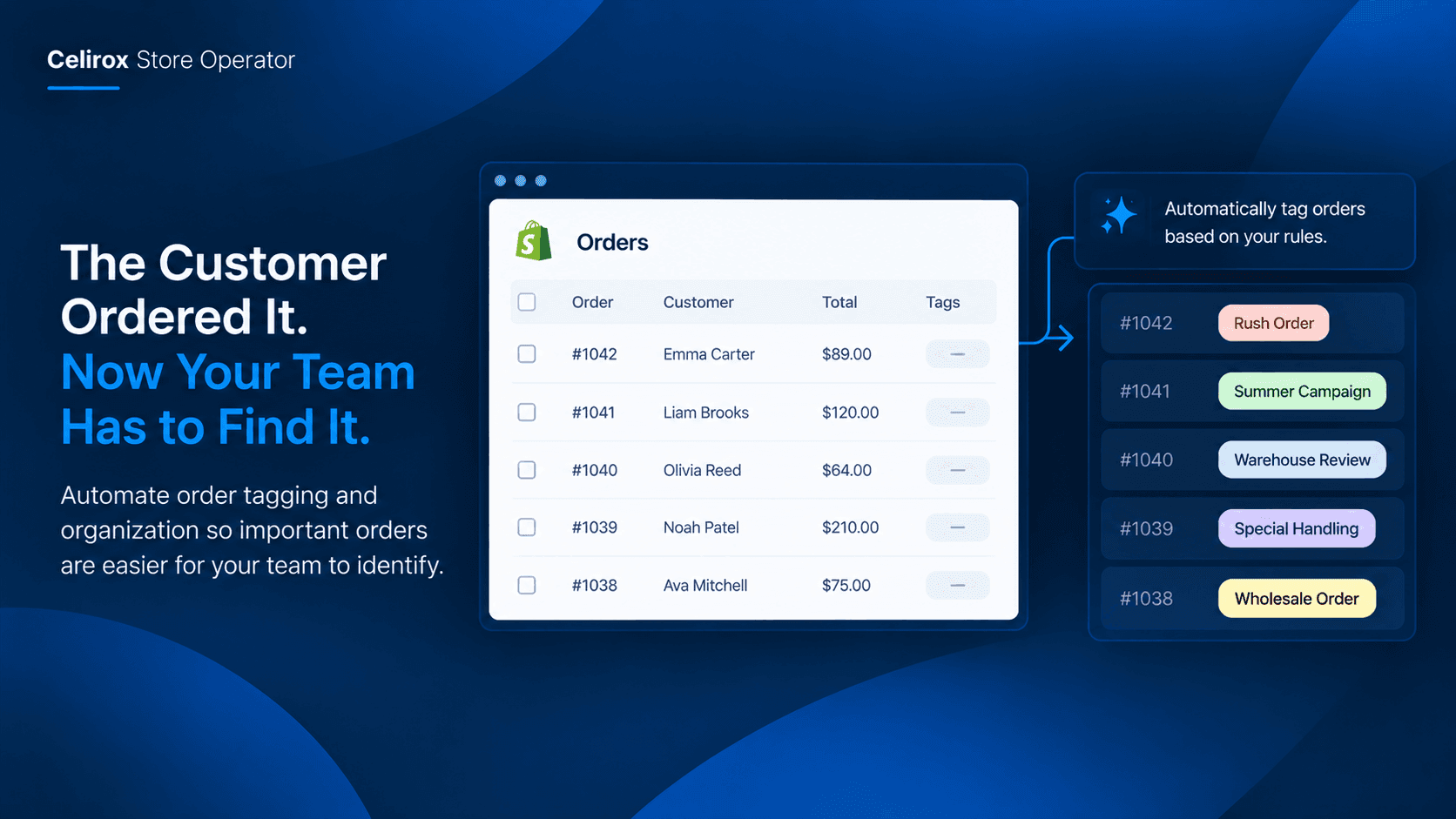
The orders are coming in.
That is usually a good problem to have.
But then your operations team opens Shopify and sees page after page of orders that all look almost the same.
One order needs special handling.
Another came from a campaign.
Another needs attention from the warehouse.
Another belongs to a customer your team wants to treat differently.
And someone has to find them.
Not once.
Every day.
The Order List Gets Busy
When a store has only a few orders each day, manually checking them does not feel like a problem.
You open the order.
You look at the details.
You remember what needs to happen.
Then you move on.
But order volume changes that routine.
Imagine a store receiving 100 orders during a busy promotion.
The team does not just need to fulfill 100 orders.
They also need to understand which orders are ordinary and which ones need a different process.
Maybe certain orders need to be reviewed first.
Maybe a campaign generated a particular group of orders.
Maybe some orders need to be handled by a specific warehouse team.
The information is already inside the orders.
The problem is that your team still has to manually find it.
Your Team Knows What Matters
Most merchants already have a mental system for organizing orders.
They might say:
"Put the rush orders somewhere we can see them."
"Tag orders from this campaign."
"Mark these orders for the warehouse."
"Separate these customer orders from the rest."
The logic is usually simple.
The repetitive part is applying it.
Someone has to open orders, inspect the details, decide which category they belong to, and add the appropriate tag.
Then they have to keep doing the same thing as new orders arrive.
That is exactly the kind of small administrative task that quietly consumes hours over a month.
Manual Sorting Does Not Scale
The frustrating thing is that manual order organization rarely feels important enough to automate.
There is no dramatic emergency.
Nobody is sitting in a meeting saying, "We need to solve order tagging."
Instead, someone spends five minutes here.
Ten minutes there.
Then another team member does the same thing later.
During a normal week, it feels manageable.
During a sale, product launch, or seasonal rush, it becomes much harder.
The more orders you receive, the more time your team spends organizing the work instead of actually doing it.
Give Every Order A Purpose
The goal is not to create dozens of complicated tags.
It is to make orders easier to understand at a glance.
A useful tag should answer a practical question.
What does my team need to know about this order?
For example, a merchant might want tags such as:
- Campaign order
- Rush order
- Warehouse review
- Special handling
- Wholesale order
The exact names depend on the store.
What matters is that the tag gives the next person a useful piece of information without forcing them to open the order and investigate everything again.
That turns the order list into something much more useful.
Let The Rule Do The Sorting
This is where Celirox Store Operator fits naturally into the workflow.
Instead of repeatedly opening orders and applying tags manually, a merchant can describe the organization they want in plain English.
For example:
"Tag orders from our summer campaign as Summer Campaign."
Or:
"Tag orders that need special handling so the warehouse team can find them quickly."
The Store Operator is designed to automate tedious backend work such as tagging orders through plain-English instructions. :contentReference[oaicite:0]{index=0}
The merchant explains the rule.
The system can work from that instruction rather than making the merchant repeat the same manual process order by order.
Organize Orders Before They Pile Up
The biggest advantage is consistency.
When order organization depends entirely on someone remembering to do it, the process can easily become inconsistent.
One person remembers to tag the orders.
Another person forgets.
Someone gets busy.
A weekend shift handles things differently.
Then the team starts asking questions:
"Which orders have already been reviewed?"
"Which ones are for the campaign?"
"Did anyone mark the special orders?"
The problem is not that your team is careless.
The process simply depends too much on manual effort.
An automated rule can make the organization happen as part of the normal store workflow instead.
Start With One Repetitive Rule
You do not need to automate your entire order operation on day one.
In fact, starting small is often better.
Look at your order list for the last few weeks.
Find one thing your team repeatedly searches for or manually marks.
Maybe it is campaign orders.
Maybe it is a particular type of customer order.
Maybe it is an order that needs another team member's attention.
That is your first automation opportunity.
Turn that repeated instruction into a clear rule.
Once your team sees that one task happening automatically, you can identify the next repetitive task.
This keeps automation practical rather than turning your backend into a collection of rules nobody understands.
Your Team Should See The Difference
Good order organization is not about making Shopify look cleaner.
It is about reducing the number of decisions your team has to make repeatedly.
Consider the difference between these two mornings.
In the first, someone opens Shopify and starts scanning orders.
They check names.
They open order details.
They look at products.
They remember which orders need attention.
Then they manually add tags.
In the second, the relevant orders are already organized.
The team can immediately see which ones belong to the workflow they need to handle.
That small difference gives people more time to work on fulfillment, customer service, and other tasks that actually require their attention.
Keep Humans In Control
Automation should not mean that a merchant loses control of their store.
Celirox uses an Approve-to-Execute model for critical backend automation and storefront changes, with explanations of the proposed action and auditability around authorized changes. :contentReference[oaicite:1]{index=1}
That matters when you are changing operational workflows.
You should know what rule is being created.
You should understand what it is intended to do.
And you should be able to decide whether it belongs in your store.
The point is to remove repetitive clicking, not remove the merchant from the decision.
FAQ
Can Celirox automatically tag Shopify orders?
Yes. Order tagging is specifically listed as one of the repetitive backend tasks Celirox Store Operator can automate using plain-English commands. :contentReference[oaicite:2]{index=2}
What can order tags be used for?
They can help your team identify orders that need particular attention or belong to a particular workflow. Examples include campaign orders, VIP orders, risky shipments, or other categories relevant to your operations.
Do I have to manually filter every order first?
The purpose of the automation is to reduce that repeated manual work. You describe the organization you want, and Store Operator can turn the instruction into a backend workflow.
Should I create lots of order tags?
Probably not. Start with the few categories that genuinely help your team make faster decisions. Too many tags can create another form of clutter.
Is order tagging useful for small Shopify stores?
Yes. Even a smaller store can benefit if the same order-identification task is being repeated every day or every week. The time saved becomes more valuable as order volume grows.
Does Celirox only work with orders?
No. Store Operator also covers other store operations, including stock monitoring, customer segmentation, notifications, storefront changes, and other repetitive workflows. :contentReference[oaicite:3]{index=3}
Stop Making People Sort The Same Orders
Your team should not have to rediscover the same information every time they open the Shopify order list.
If there is a rule your team already follows, there is a good chance it can become part of the workflow instead of another manual instruction.
The merchant still decides how the store should operate.
The team still handles the work that requires judgment.
But the repetitive part — finding the right orders and marking them for the right reason — does not have to depend on someone remembering to do it.
That is the real value of backend automation.
Not replacing your operations team.
Just giving them a cleaner starting point every morning.
With Celirox Store Operator, you can describe the order organization you want in plain English and turn repetitive backend work into a workflow your store can keep using.
Your team has enough orders to handle. They should not have to spend their day sorting them manually.