Killing Manual Data Entry: Autonomous Invoice Processing for Accounts Payable
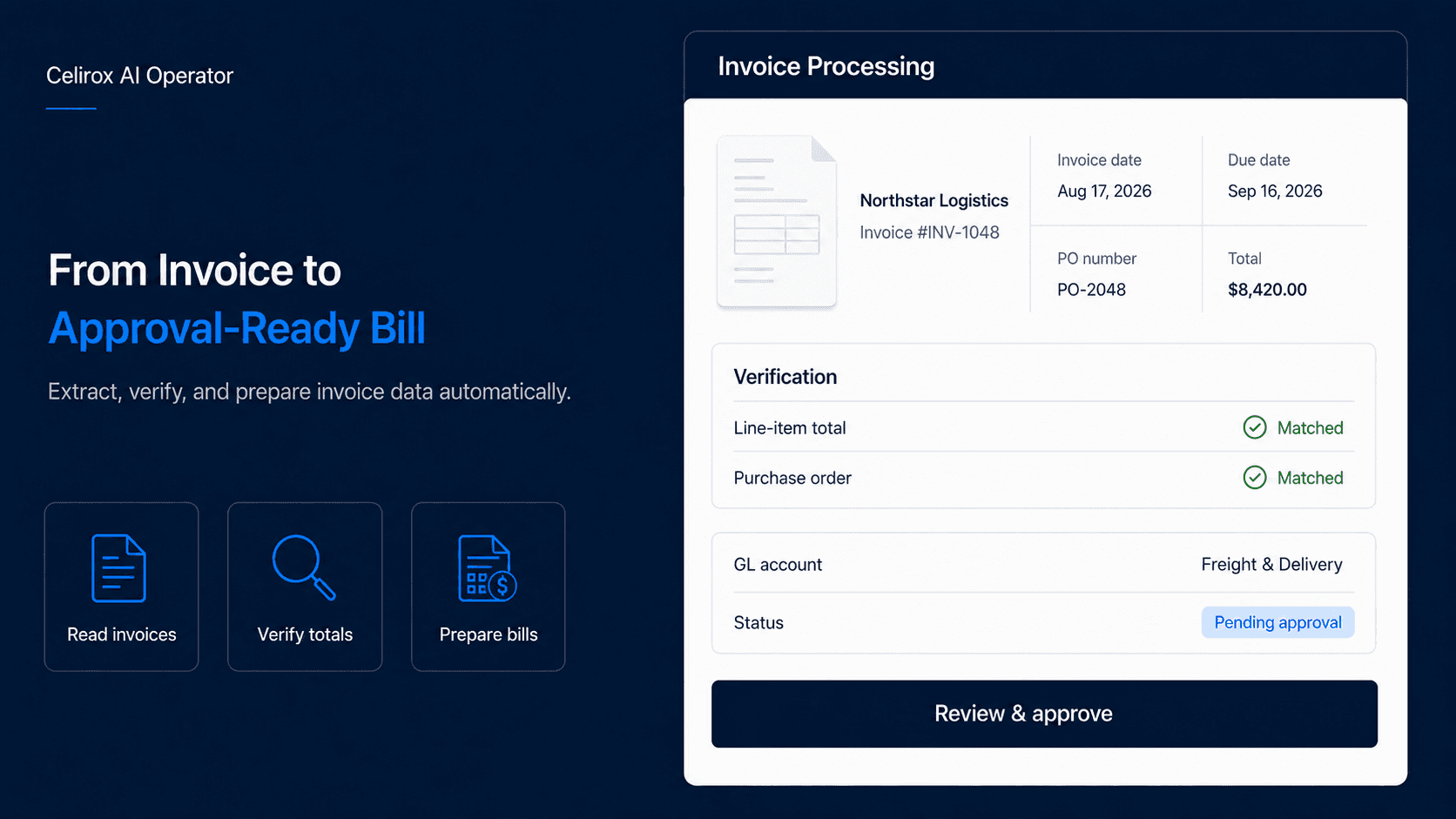
The Friction of the Back Office
When business leaders think about the impact of artificial intelligence, they typically imagine customer-facing chatbots, generative marketing copy, or automated sales emails. However, the most profound, immediate, and measurable impact of AI lies in the unglamorous, deeply tedious operations of the back office.
In almost every mid-market to enterprise organization, the Accounts Payable (AP) department is a massive bottleneck of human labor. Businesses receive hundreds—if not thousands—of invoices every single month from freight forwarders, SaaS vendors, 3PL warehouses, legal counsel, and packaging suppliers.
The core operational problem? Every vendor uses a completely different invoice format. Some are clean digital PDFs exported from modern software, some are scanned pieces of paper with handwritten notes, and others are simply unstructured text embedded directly in an email body.
The Manual Data Entry Tax
Because these invoices are, at their core, unstructured data, traditional accounting software cannot easily process them without human intervention. This forces highly paid finance professionals to act as biological data-entry machines.
The manual AP workflow typically looks like this:
- The Extraction: An AP clerk actively monitors an inbox, downloading the PDF invoice from an email attachment and saving it to a local drive.
- The Verification: They manually cross-reference the invoice amount against the original Purchase Order (PO) in a different system to ensure they are not being overcharged or double-billed.
- The Data Entry: They log into QuickBooks, Xero, or NetSuite, manually create a new bill, type in the vendor name, the invoice date, the due date, the total amount, and carefully categorize the expense to the correct General Ledger (GL) account (e.g., separating "Software Expenses" from "Freight Outbound").
This process takes roughly 3 to 5 minutes per invoice. If a company processes 1,000 invoices a month, that equates to over 80 hours of pure, mind-numbing data entry. It is expensive, highly prone to typographical errors, and exhausting work. It shares similarities with the administrative burden experienced when manually reviewing dense vendor contracts.
Deploying an Autonomous AP Clerk
The solution to scaling a finance department is not to hire more offshore data-entry clerks or force employees to work longer hours; the solution is to deploy an agentic system that can "read" and comprehend documents exactly like a human does, but at machine speed.
The Celirox AI Operator serves as an autonomous, highly intelligent AP clerk. It utilizes state-of-the-art multimodal vision and Large Language Models (LLMs) to completely automate the invoice ingestion pipeline from end to end.
Orchestrating the Autonomous Ledger
In the past, automating this process required training complex optical character recognition (OCR) templates for every specific vendor layout. If a vendor moved their logo, the template broke. The LLM approach is entirely different; it inherently understands the semantic layout of any financial document.
You simply grant the AI Operator secure access to your systems and issue a standing directive:
"Monitor the 'ap@company.com' inbox. Whenever an invoice is received, extract the Vendor Name, Invoice Date, Due Date, Tax ID, and Total Amount. Cross-reference the Total Amount against our internal PO database. If the variance is less than 2%, log into QuickBooks via API, create a 'Bill,' categorize the expense based on our historical GL mapping, and mark it as 'Pending Approval'."
Once deployed, the AI Operator executes this workflow flawlessly, 24/7. Here are the five operational pillars of the system:
1. Unstructured Data Extraction
Traditional OCR fails when a vendor moves the "Total Amount" box two inches to the left. The Celirox AI Operator uses semantic vision. It looks at the PDF as an image and instantly comprehends the document structure based on visual hierarchy. It can accurately extract line-item costs, shipping fees, and tax totals, even if the invoice is a poorly scanned document.
2. Mathematical Verification (Two-Way Matching)
The AI does not just blindly push numbers into your accounting software; it performs critical financial validations. It calculates the line items to ensure the subtotal matches the final total. It then performs a "Two-Way Match," checking the invoice against the original Purchase Order in your ERP or database.
3. Exception Flagging and Routing
If a vendor invoiced you for $10,000 but the approved PO was only for $8,000, the AI immediately halts the process. It flags the discrepancy and routes it via Slack or email to a human controller for review, providing a clear explanation of the variance.
4. Intelligent GL Categorization
Categorizing expenses correctly is critical for accurate P&L reporting. The AI analyzes the nature of the vendor and the line items. If the vendor is "Meta Platforms Inc," it knows to categorize the bill under "Advertising Expense." If the vendor is "Uline," it maps it to "Packaging Supplies." It learns from your historical accounting data to ensure perfect categorization over time.
5. Seamless API Synchronization
Once the data is extracted and verified, the AI Operator bypasses the user interface entirely. It uses the QuickBooks or Xero API to instantly create the Bill, attaching the original PDF document directly to the ledger entry for compliance and auditing purposes. The AP manager simply logs in once a week, clicks "Approve," and triggers the ACH payments in bulk.
The End of Tedium
By deploying an autonomous AI Operator for your accounts payable, you eliminate the single largest administrative drain on your finance team. Your human capital is freed from the drudgery of data entry. They can focus their expertise on strategic cash flow management, vendor negotiation, and accurate financial forecasting.
Stop paying humans to act as optical scanners for PDF files. Let the AI Operator automate your back office.