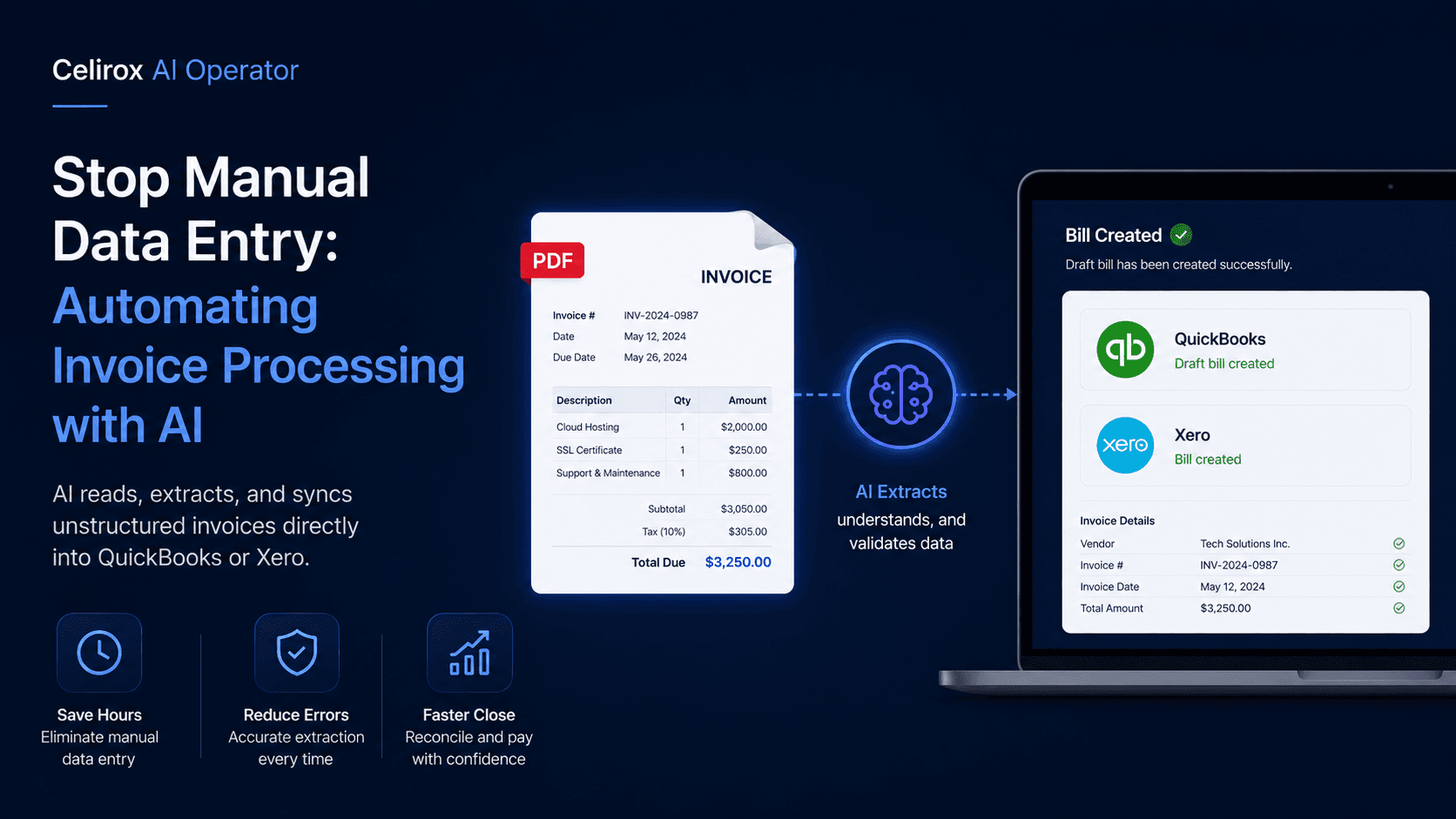
Stop Manual Data Entry: Automating Invoice Processing with AI
The Hidden Cost of Manual Data Entry
In the modern enterprise stack, the Accounts Payable (AP) department is often the last bastion of manual, analog labor. Despite the proliferation of cloud accounting software like QuickBooks Online (QBO) and Xero, the process of actually getting vendor billing data into those systems remains painfully human-dependent.
Every month, a finance team receives hundreds of invoices. The fundamental problem is that these invoices are completely unstructured. Vendor A sends a multi-page PDF generated by NetSuite. Vendor B sends a poorly scanned JPEG of a physical receipt. Vendor C just pastes the amount due in the body of an email.
To process this, an AP clerk must execute a repetitive, error-prone workflow for every single document:
- Open the email and download the attachment.
- Visually scan the document to locate the Vendor Name, Invoice Number, Issue Date, and Due Date.
- Calculate or verify the tax breakouts (Sales Tax, VAT).
- Manually type all of this data into the accounting software.
- Route the draft bill to a manager for approval via Slack or email.
This manual data entry grind is incredibly expensive in terms of payroll hours, but the true cost lies in the error rate. A tired clerk who accidentally transposes a decimal point on a $10,000 vendor invoice creates a massive reconciliation headache at the end of the month, potentially straining crucial vendor relationships.
Intelligent Document Processing with Celirox
Traditionally, companies attempted to solve this with Optical Character Recognition (OCR) software. However, traditional OCR relies on strict spatial templates (e.g., "Look for the Total Due 2 inches from the bottom right corner"). If a vendor updates their logo or changes their invoice layout, the OCR template breaks, requiring an engineer to fix it.
Celirox AI Operator replaces fragile OCR templates with multimodal Large Language Models (LLMs). It does not rely on rigid coordinates; it actually reads and understands the document the way a human accountant would.
Orchestrating the AI Financial Assistant
Deploying this automation requires zero coding. You simply provide the Celirox AI Operator with a plain English directive:
"Monitor the ap@company.com inbox. When an email contains an invoice (PDF, PNG, or in the body text), extract the Vendor Name, Invoice Number, Issue Date, Due Date, Total Amount, and all Line Items. Cross-reference the Vendor Name with our QuickBooks database. If the vendor exists, create a Draft Bill and assign the line items to the correct expense categories based on our historical ledger. If the invoice is over $5,000, send a Slack message to the CFO for approval."
How AI Transforms Accounts Payable
Once deployed, the AI Operator operates as a tireless, mathematically perfect AP clerk.
1. Multimodal Extraction (Breaking the Template Constraint)
Because Celirox utilizes vision-based AI, it can process any invoice format instantly without pre-configuration. It can read a 15-page AWS hosting bill, extract the specific line items relevant to different departments, and ignore the marketing fluff. It can even read handwritten totals on a scanned diner receipt from a sales rep's expense report.
2. Semantic Categorization and Ledger Matching
Extracting the number "$500" is useless if the system doesn't know what the money was spent on. Celirox AI Operator utilizes semantic reasoning to categorize expenses. If it reads a line item for "Facebook Ads - Q3 Campaign," it knows to automatically map that expense to your "6100 - Marketing & Advertising" general ledger account in QuickBooks, rather than dumping it into "Uncategorized Expenses."
3. Automated Anomaly Detection
The AI acts as a first line of defense against billing errors and vendor fraud. It can be instructed to cross-reference the incoming invoice against the original Purchase Order (PO). If the vendor is billing for 500 units, but the PO was only for 400 units, the AI will immediately flag the discrepancy, halt the QuickBooks sync, and alert the procurement manager.
The Impact on the Finance Team
By automating the extraction and data entry phase of Accounts Payable, Celirox AI Operator structurally elevates the role of the finance team.
Instead of acting as human keyboards, your bookkeepers and AP clerks transition into financial analysts. Their job shifts from entering the data to reviewing the AI's drafts, approving payments, and focusing on strategic cash flow management.
Stop accepting data entry as a necessary evil. Modernize your financial operations with an intelligent AI Operator and eliminate invoice processing friction forever.