AI Customer Support Triage: From Ticket to the Right Next Action
The Ticket Is Only the Start
A customer sends this message:
"I was charged again after I canceled. Can you fix this?"
At first glance, it looks like a normal billing ticket.
But before anyone can give the customer a useful answer, the support team may need to determine which account this belongs to, whether the subscription was actually canceled, when the latest charge occurred, whether a previous refund was issued, and what the company's refund policy allows.
The reply itself may take two minutes to write.
Understanding what actually happened before writing it can take much longer.
That is the real customer support triage problem.
It is not simply deciding which queue should receive the ticket.
It is deciding what needs to happen next.
What Support Triage Means
Customer support triage is the process of understanding an incoming request and deciding how it should be handled.
That can include:
- Identifying the topic
- Determining urgency
- Routing the request
- Gathering account context
- Escalating serious cases
- Preparing the next response or action
Modern helpdesk platforms already handle many parts of classification and routing well.
The more difficult problem begins when the answer depends on information outside the ticket itself.
A customer may ask:
"Why was I charged again?"
The ticket tells you what they are worried about.
It does not tell you whether the charge was correct.
Someone still needs to investigate.
The support problem is often not understanding the sentence. It is understanding the situation behind it.
Context Matters More Than Keywords
Simple routing rules are still useful.
If a ticket contains a clearly defined billing form selection, it may go directly to Billing.
If a user selects Account Access, it may go to the support team responsible for authentication.
Predictable requests do not always need additional reasoning.
The problem appears when customers describe the same issue in very different ways.
One customer may write:
"Please refund this."
Another:
"This isn't working for us anymore. Can you undo the payment?"
Another:
"We canceled last week but still got billed."
All three may eventually involve money going back to the customer.
But the reason, policy, and required action may be different.
Keyword matching alone cannot reliably answer:
Why is this customer asking for money back, and are they actually eligible?
Meaning and context matter more than the presence of one word.
Where AI Operator Fits
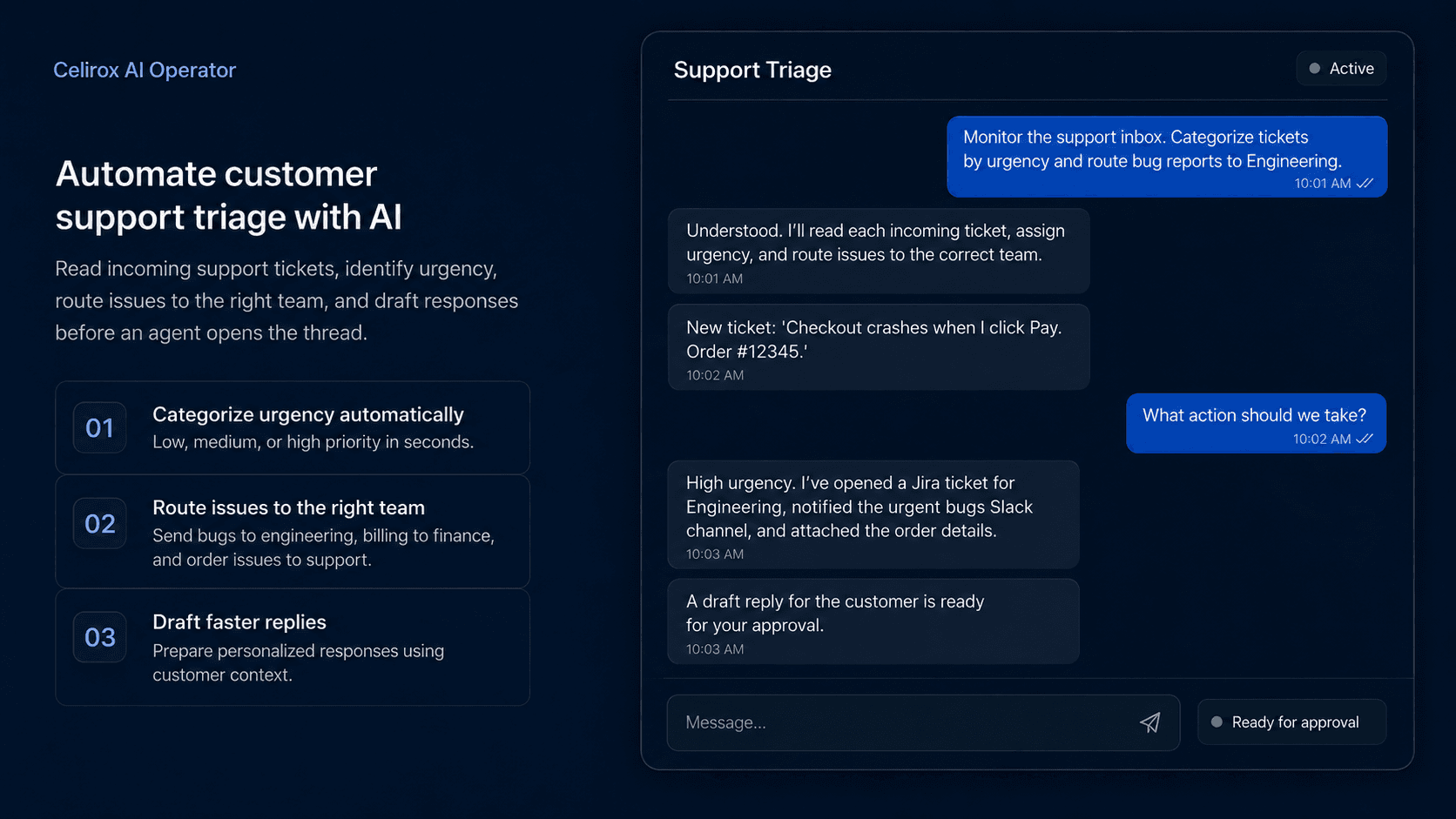
Celirox AI Operator is designed for support work where understanding the request is only the beginning.
Instead of stopping at:
Read → Categorize → Route
the process can continue:
Read → Understand → Investigate → Decide → Prepare Action → Verify
For example, a business could say:
"Review new billing disputes. Find the customer's account, subscription, payment history, and cancellation records. Determine whether the charge matches the current plan and our refund policy. Prepare the appropriate next action, and send unusual or high-value cases for review."
Different tickets may require different investigation paths.
One case may need only the subscription record.
Another may require payment history, previous conversations, cancellation logs, and an internal approval.
The goal remains the same.
The path depends on what the Operator discovers.
Give Agents the Full Picture
Routing a ticket correctly helps only if the receiving person has enough information to act.
Imagine an agent opens a ticket saying:
"Where is my refund?"
Without context, they may need to search the customer account, payment history, refund record, previous conversations, and internal notes before responding.
A better workflow could prepare:
Refund: $84
Submitted: August 7
Status: Refund request recorded in the payment system
Previous related tickets: None found
Customer question: When will the funds appear?
Now the agent begins with the situation already organized.
The human still decides how to communicate with the customer.
They simply do not have to rebuild the story from five different systems first.
This is where support preparation becomes more valuable than another generic AI reply generator.
Urgency Needs Business Context
An angry customer is not automatically the most urgent case.
Compare these two messages.
Ticket A
"This is ridiculous. I've been waiting all morning for someone to answer my question about changing my profile picture."
Ticket B
"Our team cannot log in. All users are receiving the same authentication error."
Ticket A sounds more emotional.
Ticket B may affect an entire customer account and prevent people from using the product.
A useful triage process can consider:
- Number of users affected
- Operational or revenue impact
- Security or privacy implications
- Whether the issue is still happening
- Time sensitivity
- Existing service commitments
Sentiment can provide useful context.
It should not determine priority by itself.
A calm message can describe a critical incident.
An angry message can describe a minor inconvenience.
Verify Before You Reply
AI-generated support replies are easy to produce.
A polished answer based on incomplete information can still be wrong.
Imagine telling a customer:
"Your refund has already been completed."
when the system only shows that someone requested the refund.
Or:
"Your account has been restored."
when the underlying access problem still exists.
The wording sounds confident.
The operational reality is different.
A safer sequence is:
Understand request → Retrieve facts → Determine action → Perform or prepare action → Verify result → Respond
That verification step matters.
Sending an API request does not always mean the customer's problem is solved.
The downstream system may reject the change. The account may remain blocked. The payment action may still be pending.
For operational support, the answer should reflect what actually happened rather than what the workflow attempted to do.
Keep Humans for Key Cases
Not every support request should move forward without human judgment.
Some situations deserve additional review, especially when they involve financial loss, security, sensitive data, unclear policies, or unusual customer consequences.
That may include:
- Large refunds
- Billing disputes
- Security concerns
- Sensitive account changes
- Unusual compensation requests
- Conflicting system data
A business might define:
Routine eligible refund → Prepare action
Refund above $500 → Require approval
Or:
Standard account update → Continue
Security-sensitive access change → Human review
The objective is not to remove people from customer support.
It is to stop spending their time on mechanical investigation when the facts can be gathered before the decision reaches them.
Human attention should be concentrated where judgment and accountability matter.
Use Helpdesk AI Where It Fits
Modern helpdesk platforms already provide increasingly capable classification, routing, summarization, and response features.
Businesses should not introduce another system simply to reproduce something their existing helpdesk already handles well.
If the requirement is:
"Tag every billing question as Billing."
a normal helpdesk workflow may be enough.
Now compare that with:
"Review each billing dispute, find the customer's subscription and payment history, check whether they previously canceled, determine whether the charge matches the account state, and prepare the next action according to our refund policy."
That is a different type of task.
The work now moves outside the ticket itself.
It requires investigation across business systems, interpretation of what happened, application of policy, and sometimes approval.
That is where an AI Operator becomes more useful than classification alone.
Measure Support Outcomes
Do not judge support triage only by how many tickets AI touches.
Useful metrics can include:
- Time agents spend gathering context
- First-response time
- Resolution time
- Reassignment rate
- Incorrect escalation rate
- Drafts heavily edited by agents
- Customer satisfaction
The measurements should reveal whether the workflow is actually reducing work without reducing support quality.
If routing becomes faster but tickets are constantly assigned to the wrong team, the process has not improved.
If responses are generated instantly but agents rewrite nearly every one, the drafting step may not be providing much value.
If agents spend less time searching across systems and more time resolving meaningful customer problems, that is a stronger signal.
Measure the quality of the outcome.
Not the amount of AI involved.
Frequently Asked Questions
What is AI customer support triage?
AI customer support triage uses language models or machine learning to help understand incoming requests, classify them, determine relevant context, and support routing or next actions.
Can helpdesk platforms already perform AI triage?
Yes. Many modern helpdesk platforms already provide classification, routing, summarization, and other AI-assisted support capabilities.
What is different about an AI Operator?
An AI Operator becomes more useful when the task extends beyond the helpdesk and requires investigating connected systems, understanding what happened, preparing or carrying out actions, handling exceptions, and requesting approval.
Should AI respond to every customer automatically?
No. Businesses should define boundaries based on risk, policy, confidence, and customer impact. Consequential or uncertain cases should remain subject to human review.
Should AI investigate before drafting a reply?
For operational support issues, yes. A response should be grounded in the relevant account, billing, product, or system facts whenever those facts affect the answer.
Can Celirox AI Operator prepare responses?
Yes. AI Operator can be used in workflows where the relevant business context is gathered first and a response or next action is then prepared according to the permissions and rules defined by the business.
Solve the Situation, Not Ticket
Customers do not care which queue their ticket entered.
They care that someone understands what happened and helps them move forward.
The useful workflow is not simply:
Incoming ticket → AI reply
It is:
Problem → Understand → Investigate → Decide → Act → Verify → Respond
Classification and routing still matter.
They are just the beginning.
Celirox AI Operator is designed for the operational work that comes afterward: gathering context across connected systems, preparing the appropriate action, handling exceptions, verifying outcomes, and keeping human judgment where it matters.
The goal is not to answer tickets faster at any cost.
It is to help resolve the customer's actual problem with better context and fewer repetitive steps.