A Customer Submitted a Form. Now Someone Has to Organize It.
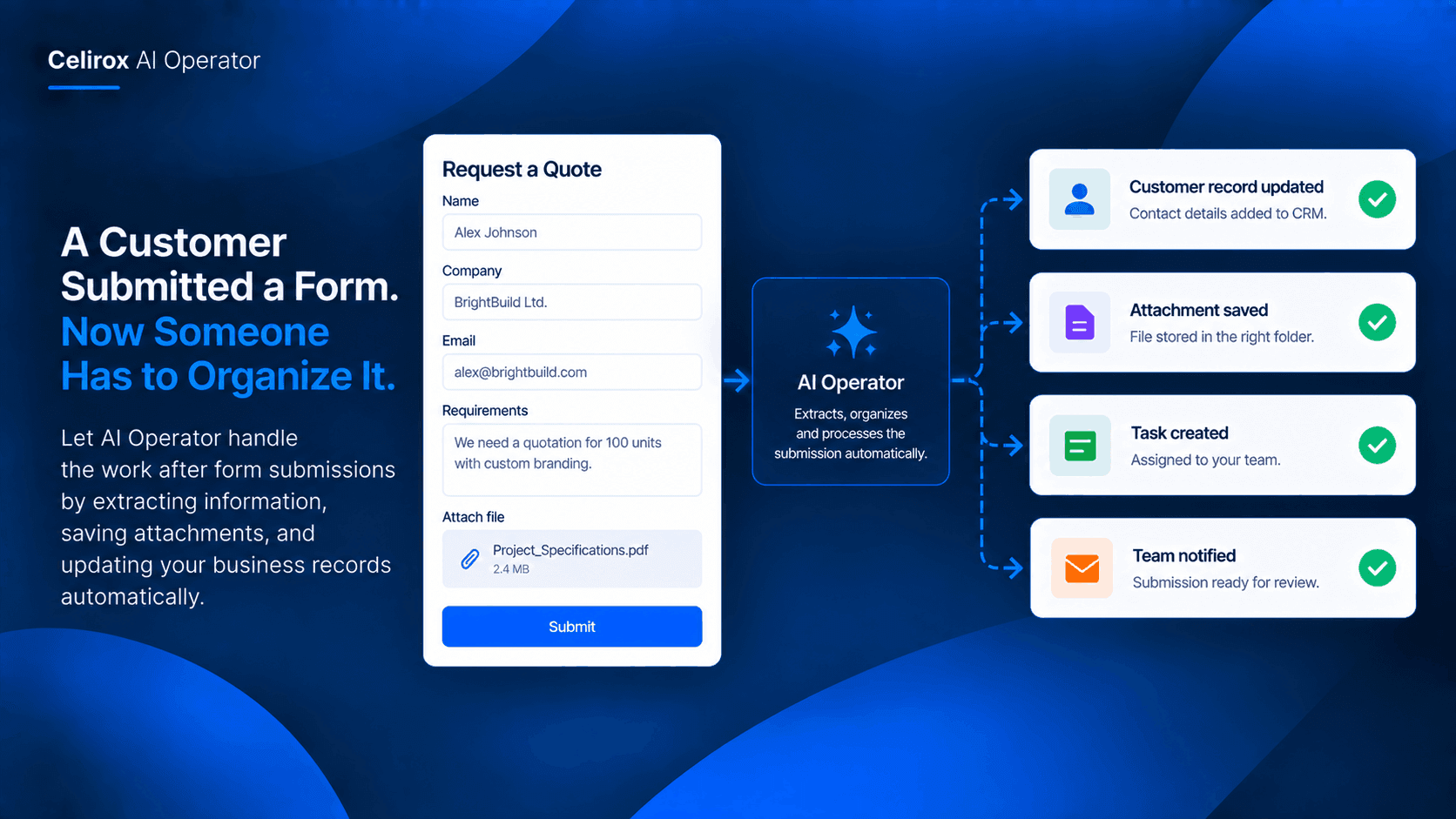
The form submission arrives.
The customer has entered their name, company, contact details, requirements, and perhaps attached a document.
The form itself is doing its job.
But the business still has another job to do.
Someone has to take that submission and turn it into information the team can actually use.
The Form Is Only The Start
A submission might look simple when it arrives.
But imagine receiving twenty or thirty of them during a busy week.
Someone has to open each one, understand what the customer needs, copy important information into another system, download attachments, and put those files somewhere the team can find them later.
None of these tasks is particularly complicated.
The problem is that they keep appearing.
One Submission Creates Several Tasks
Consider a company that receives quote requests through an online form.
A customer submits:
- Name and contact information
- Company details
- Requested service
- Project requirements
- An attached specification document
The form is complete.
The administrative work is not.
The team still needs to organize the submission before someone can properly work on the request.
Turn The Submission Into Structure
This is where an AI Operator workflow can help.
Instead of treating the form response as something someone simply reads, the submission can become the starting point for a connected workflow.
The information can be interpreted and organized according to the business process.
Customer details can go into the appropriate record.
The attached document can be saved where the team expects it.
The relevant information can then be ready for the next person who needs it.
Keep Customer Information Together
One common problem with form submissions is that information gets scattered.
The original response is in the form system.
An attachment may be sitting in someone's downloads folder.
Customer information might eventually be copied into a CRM.
The team then has to remember where everything went.
A coordinated workflow can reduce that fragmentation by making the submission the trigger for organizing the information across the tools the business already uses.
Save Attachments Automatically
Attachments deserve special attention.
A customer might upload a specification, quotation request, design file, requirement document, or other supporting material.
If someone has to manually download and rename every file, the process becomes easy to postpone.
An AI Operator workflow can handle the organizational part of that process, saving relevant attachments to the appropriate connected storage location so they are available when the team needs them.
Create The Right Business Record
The next step is making the submission useful inside the business system.
For example, a quote request could become a customer or prospect record.
The important information from the submission can be used to create or update that record instead of requiring an employee to copy everything manually.
That means the person responsible for the request can start with an organized record rather than an unprocessed form response.
Make The Workflow Consistent
Manual processing often changes depending on who handles it.
One employee saves attachments in Drive.
Another leaves them in email.
Someone else creates a CRM record but forgets to include the customer's requirements.
A defined AI workflow can make the same sequence happen consistently whenever the relevant form submission arrives.
That consistency matters as submission volume grows.
Give The Team A Clean Starting Point
The purpose is not to automate the customer form itself.
The purpose is to automate what happens after the form is submitted.
The customer has already provided the information.
The business should not need another person to repeatedly move that same information from one place to another.
AI Operator can coordinate connected applications so the submission becomes organized business information instead of another item waiting in someone's inbox or task list.
Start With One Form
A business does not need to automate every form at once.
Start with one form that creates repetitive administrative work.
For example:
Form: Request a Quote
Input: Customer details, requirements, attachment
Action: Organize submission
Storage: Save supporting files
Record: Create or update customer information
Next step: Make the request ready for the responsible team member
Once that workflow works reliably, the same approach can be considered for other recurring forms.
Common Questions
What kind of forms can this workflow handle?
The workflow can be designed around business forms that collect customer information, requests, requirements, or supporting documents. The exact workflow depends on the connected applications and the form system being used.
Can attachments be included?
Yes, when the connected workflow provides access to the submitted files. AI Operator can coordinate saving relevant attachments into the appropriate connected storage location.
Can the information update a CRM?
If the CRM is connected and the workflow is configured for it, the submitted information can be used to create or update the relevant business record.
Does this replace the form itself?
No. The form still collects the information from the customer. The automation focuses on the repetitive work that happens after the submission arrives.
Stop Re-Processing The Same Information
A customer has already done their part.
They filled out the form, entered the requested information, and possibly uploaded the documents the business asked for.
Making an employee manually process that same information across several systems adds another layer of repetitive work.
AI Operator can make the submission the starting point for a connected workflow—organizing the information, handling supporting files, and preparing the relevant business record.
The result is simple: the form arrives, and the business is already further along.
Try Celirox AI Operator
Connect the tools your business already uses and turn repetitive multi-step work into an AI-powered workflow.